User Management
In the xSpace management component, each tenant administrator can create and maintain independent user namespaces within their assigned tenant context. These users specifically refer to "end users" who can be assigned and use cloud desktops, and do not include management roles such as tenant administrators or delegated O&M administrators.
1. User Identity and Namespace
- Identity Uniqueness: User namespaces under different tenants are independent. The complete identifier for user identity is "tenant name + username", so even if there are users with duplicate names across different tenants, they do not interfere with each other.
- Unique Key Constraint: Within the current tenant, the username, email, and mobile number created must all be unique.
- User Types:
- Local User: User information and their password hash value are completely stored in the xSpace database.
- AD Domain User: Imported through an integrated authentication model. The system only stores basic information such as their username, not the password. Authentication is completed by calling the AD domain controller's interface.
2. Organizational Structure and User Group Management
The system provides two dimensions, "Organizational Structure" and "User Groups", to help administrators flexibly organize users:
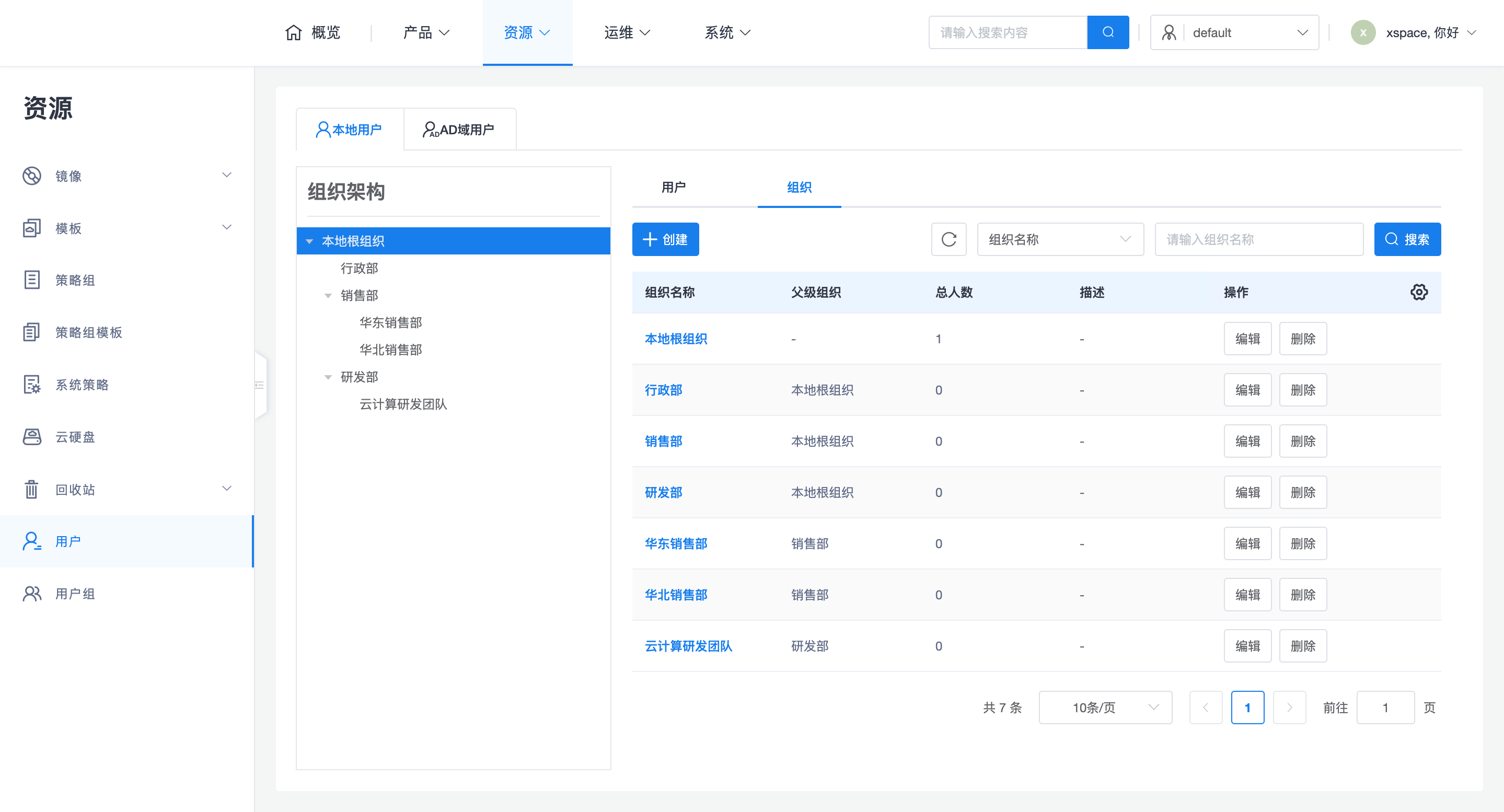
2.1 Tree-shaped Organizational Structure
Local users support tree-shaped structural management by organization, to perfectly correspond with real-world government and enterprise HR systems:
- Flexible Hierarchy: Supports creating multi-level organizational trees, suitable for complex government and enterprise HR systems.
- Performance Recommendation: Although multi-level is supported, it is not recommended to set the organizational tree hierarchy too deep, to avoid reducing system access performance.
2.2 User Group Functionality
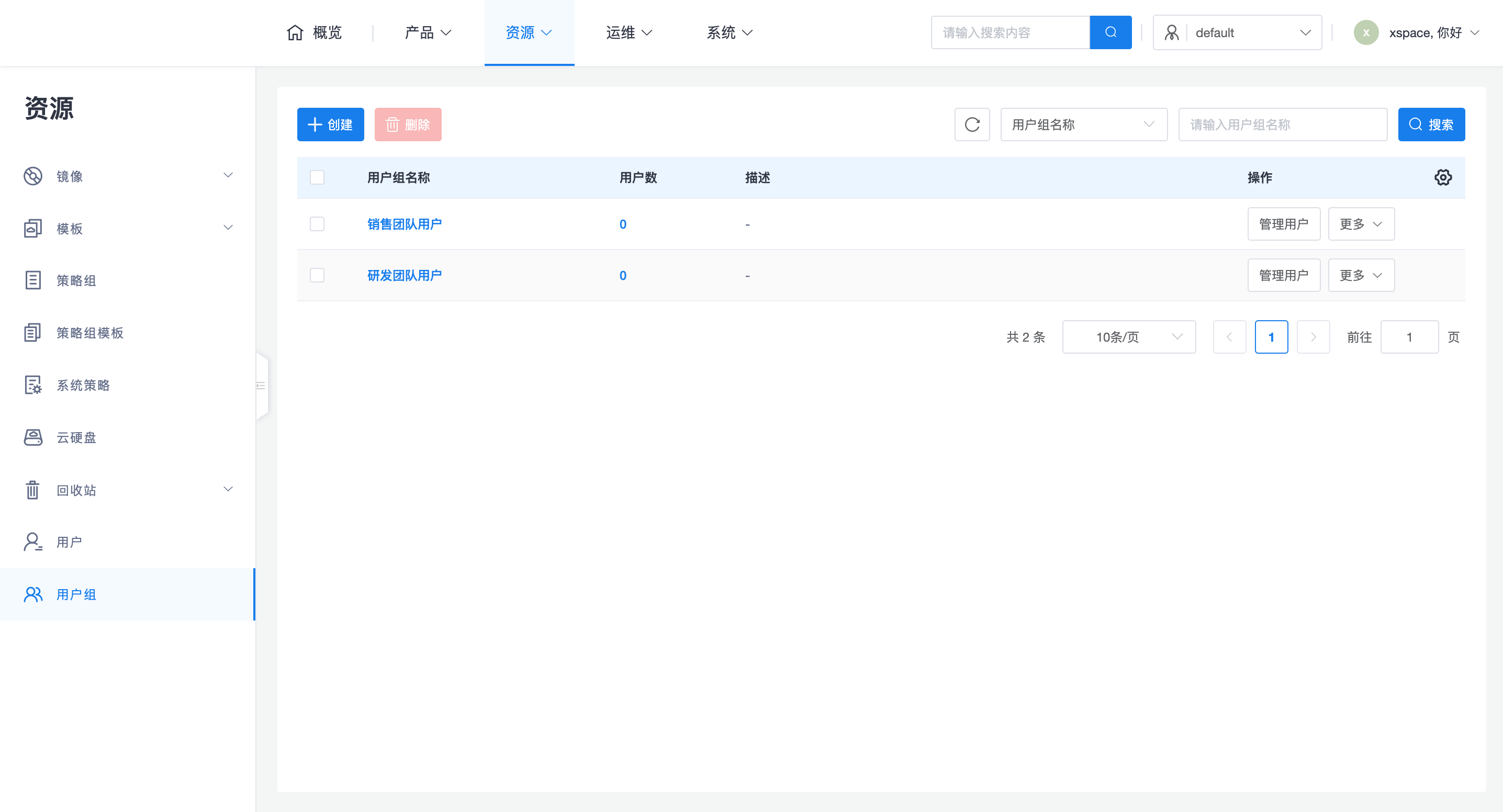
In addition to the formal organizational structure, the system also supports User Group functionality, applicable to business scenarios such as temporary project teams and cross-departmental collaboration.
- Member Management: Administrators can flexibly add or remove members from user groups, supporting both local users and AD domain users.
- Resource Linkage: User groups can be associated with dynamic desktop pools. All users within that user group automatically gain access to the corresponding dynamic desktop pool.
3. User Operations and Security
Tenant administrators or delegated O&M administrators can perform operations such as editing, deleting, resetting passwords, enabling/disabling, and adjusting organizations for created users.
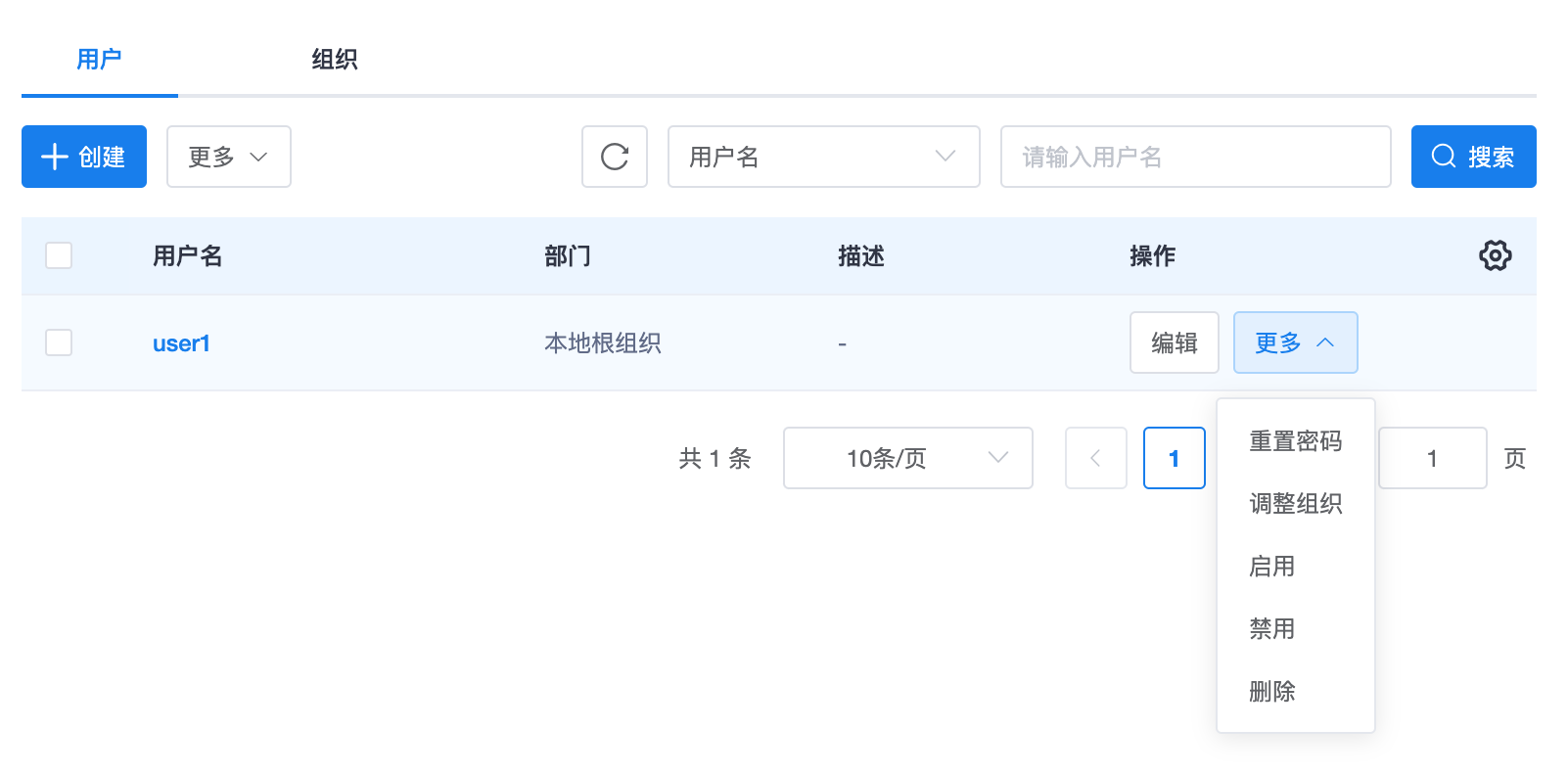
- Account Disablement: When a user account is disabled, that user will be unable to log in and use cloud desktop resources from any terminal.
- Secure Password Storage:
- Local user passwords are encrypted and stored using hashing, so administrators cannot reverse-engineer to obtain plaintext passwords.
- Hashing algorithms support configuration to
bcrypt10orbcrypt14(see System Parameters section). Choosing higher strength (e.g.,bcrypt14) will enhance security, but will also slow down the response for login authentication operations.
4. Batch User Import
For scenarios requiring the creation of a large number of local users, it is recommended to use the User Import function:
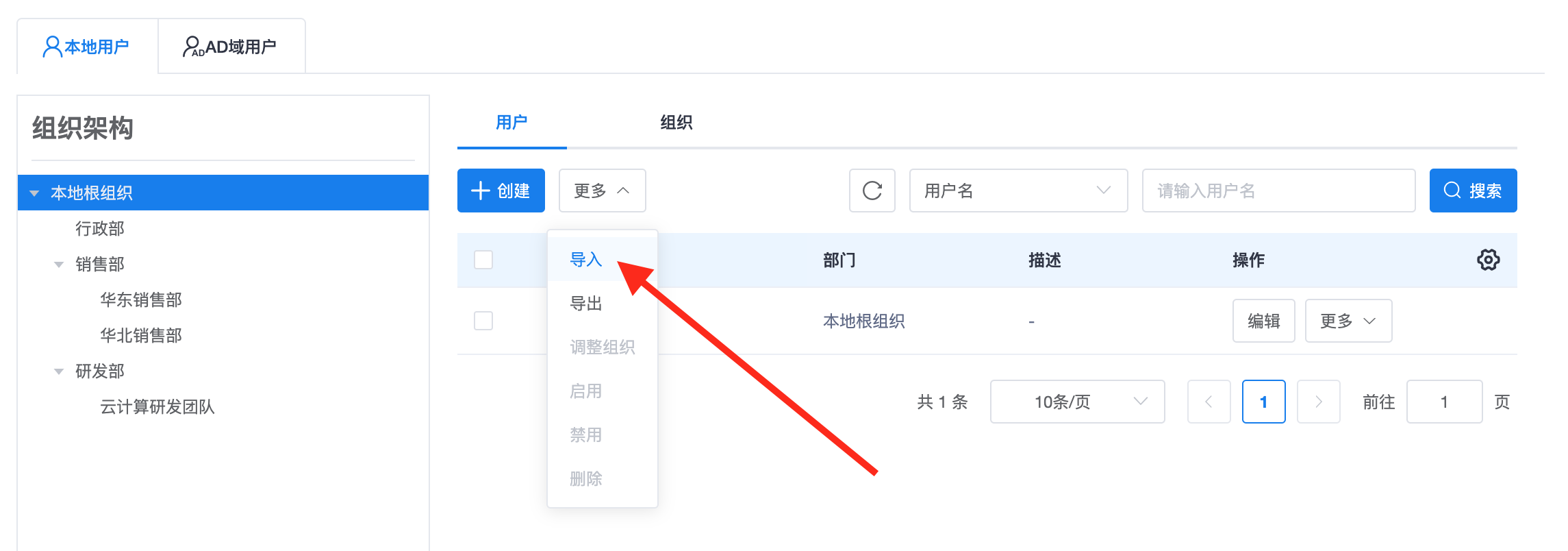
- Operation Process:
- Click to download the Import Template (Excel) on the user import interface.
- Use Excel software to correctly fill in each field according to the "Import Instructions" prompts.
- Upload the user table file on the user import interface to complete batch import.
- Import Restrictions: A single batch operation allows importing a maximum of 200 local user records.
Note: Before batch import, please ensure to fill in the import template strictly according to specifications, especially for the uniqueness validation of username and mobile number, to ensure compliance with system requirements. ```