Terminal Management
End-users can log in to xSpace using various forms such as dedicated thin client hardware devices, personal computer soft clients, and mobile apps to access cloud desktop resources. Tenant administrators can centrally manage and monitor clients (terminals) that have been logged in by end-users of this tenant on the "Products -> Thin Clients" and "Products -> Clients" pages.
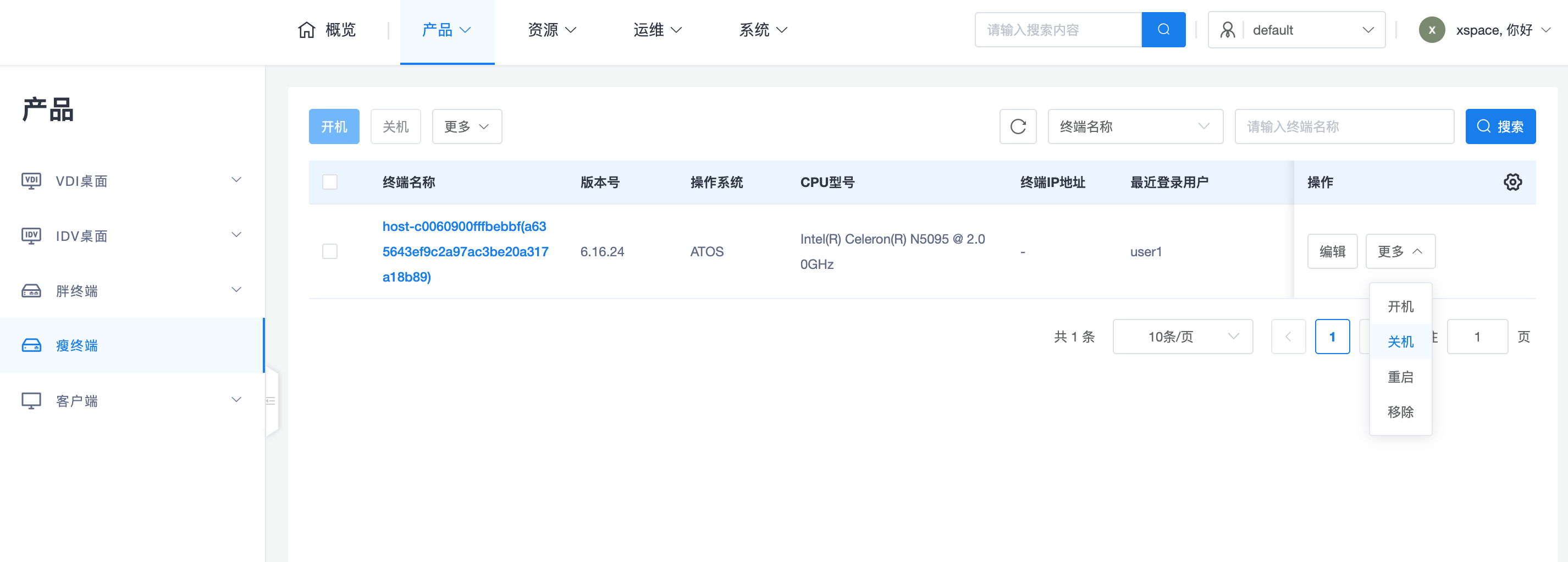
Terminology Explanation: In this system, Terminal, Cloud Terminal, and Client generally have the same meaning. Among them, "Client" more narrowly refers to the client program running on PCs, mobile devices, and thin client devices, not including hardware and OS.
1. Terminal Multi-Tenant Model
Cloud terminals are designed to support multi-tenant sharing and logical isolation:
- Visibility and Isolation: When a terminal is logged in by users of Tenant A and then Tenant B, administrators of both tenants can see the terminal record, but Tenant A's administrator cannot see Tenant B's user login record.
- Status Determination: If the terminal's last login tenant was B, Tenant B's administrator will see the terminal status as "Logged In", while Tenant A's administrator will see the terminal status as "Offline".
- Tenant-Level Policies: Operations performed by tenant administrators on terminals, such as disabling, binding users, and address solidification, are only effective within their respective tenant scope.
2. Terminal Type Management
2.1 Thin Client
Thin clients are dedicated hardware devices pre-installed with customized systems (e.g., Debian/Ubuntu/Loongnix, etc.) and client programs.
- Management Characteristics: The local system is hidden from the user.
2.2 Soft Client
Soft clients refer to cloud desktop client programs installed on personal PCs (Windows, macOS, Ubuntu, UOS, Kylin, etc.).
- Management Characteristics: Users can install and uninstall independently. The management component has no authority to intrude into the client's local operating system, thus it does not support unauthorized operations such as power on, power off, restart, or remote control.
2.3 Mobile Devices
Mobile devices are divided into cloud computer apps and cloud phone apps, mainly running on Android devices. iOS devices (including iPhone and iPad) are not currently supported.
3. Core Function Description
3.1 Attribute Definition
- Hardware ID: A hardware identifier that identifies the unique identity of the cloud terminal, generated by each terminal and guaranteed to be globally unique.
- Status Identification:
- Disabled: Highest priority. Cannot log in after being disabled.
- Not Logged In: Terminal is online but no user is logged in.
- Logged In: User has logged in to the client but not connected to the desktop.
- Connected: Currently using the cloud desktop.
3.2 Security Control Logic
- Address Solidification: Records the IP address at the time of solidification. If the terminal IP changes later, access to the system will be denied. This function is only effective for thin clients; it is not recommended for soft clients due to their high mobility.
- Bind User: When enabled, only specified bound users are allowed to log in from this terminal. Currently, one terminal only supports binding to one user.
- Disable Terminal: When disabled, anyone attempting to log in to the current tenant system from this terminal will be prohibited, and the terminal side will provide a corresponding prompt.
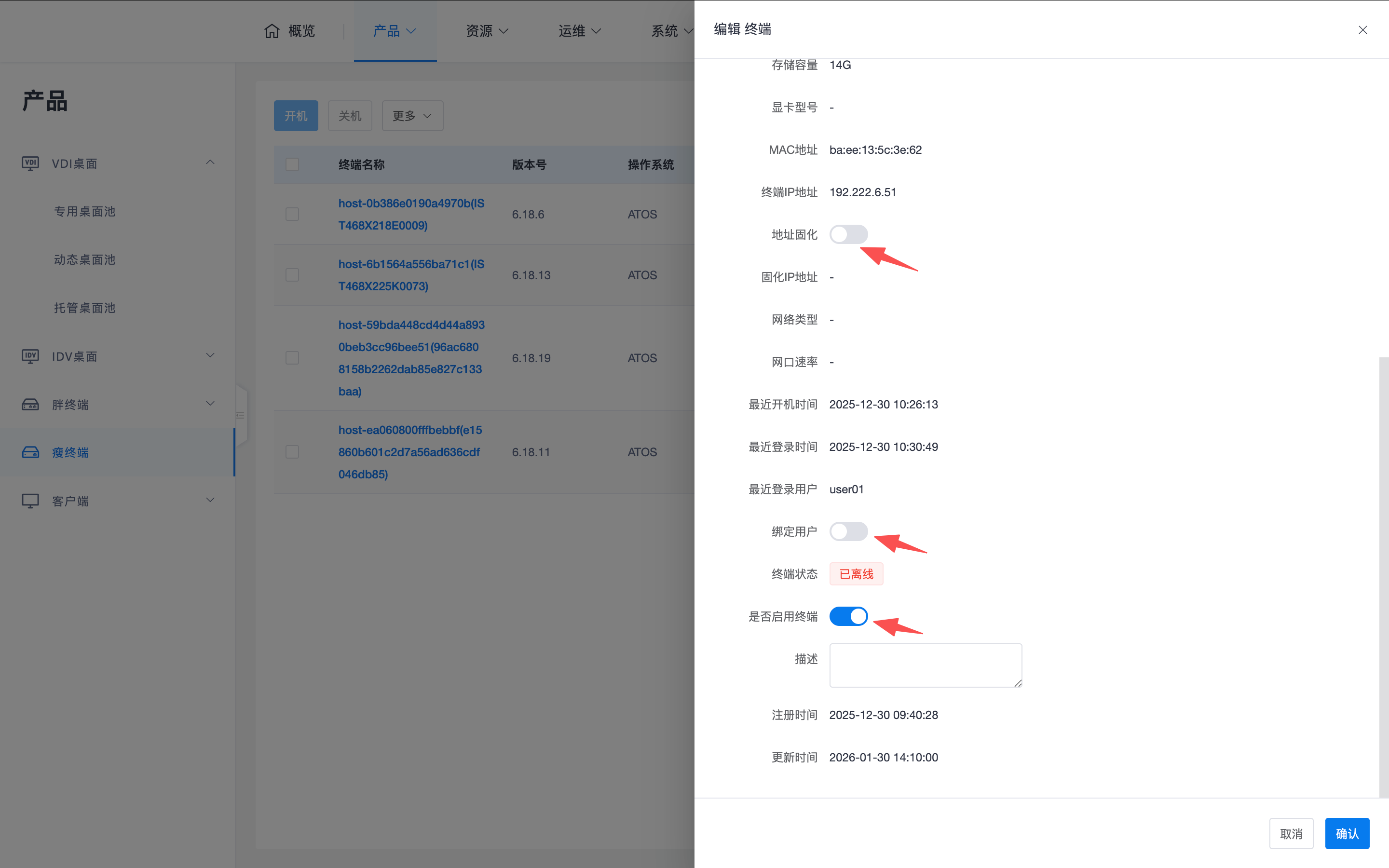
These security control measures are only effective within the tenant range where control restrictions have been configured. ```