Overview
Tenant administrators or delegated O&M administrators can access the tenant console via a browser to perform tenant-level resource scheduling and O&M management operations.
1. Tenant Overview and Functions
Upon entering the tenant console, administrators can view real-time statistics of various products, resources, and operational statuses within that tenant on the overview page.
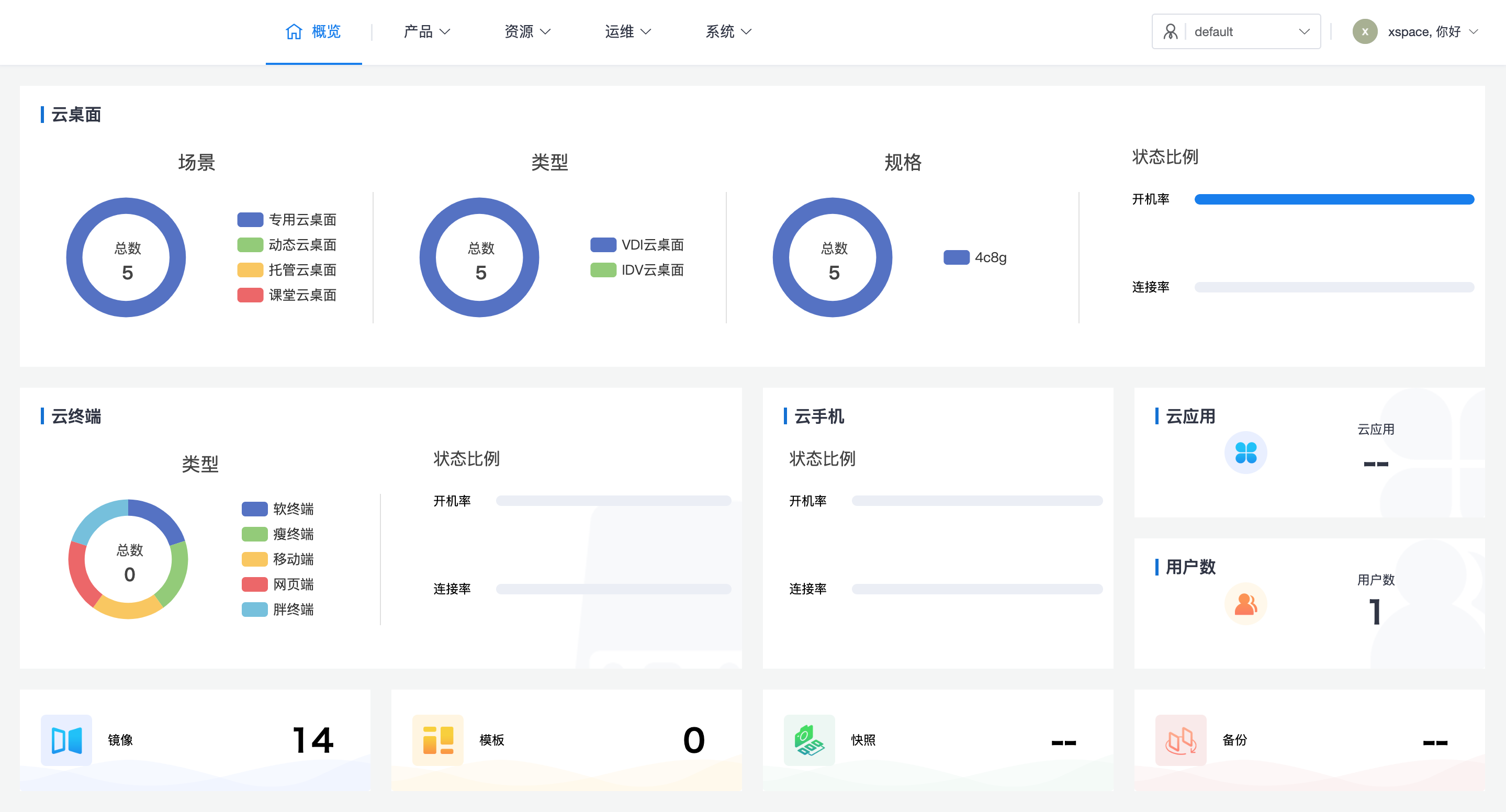
1.1 Core O&M Functions
Tenant administrators are primarily responsible for the daily maintenance and management of the following business modules:
- User Management: Maintain end-user account information for the assigned tenant.
- Policy Group Management: Define desktop policies such as peripheral redirection, bandwidth control, and access control.
- Desktop Pool Management: Responsible for cloud desktop resource allocation and lifecycle management.
- Terminal Management: Manage thin clients and client devices accessing this tenant.
- Session Management: Monitor and maintain user desktop connection session status and records.
1.2 Configuration and Customization
- System Parameters: Configure tenant-specific parameters such as recycle bin retention duration and user security policies.
- Theme Customization: Customize the visual theme and Logo of this tenant's tenant console.
- Image Resources: For operations on tenant-customized images and templates, please refer to the System Console -> Image Management section.
2. Login Entry Point and Permission Logic
2.1 Access Path
- Tenant Administrator: Please log in via
https://master_management_node_IP/tenantorhttps://master_management_node_IP:44331. - Delegated O&M Administrator:
- Please log in to the system console from
https://master_management_node_IP/admin. - The system has a preset
defaulttenant, and thexspacesystem administrator acts as its delegated O&M administrator by default. - You can directly enter the management interface of the delegated O&M tenant via the context switching menu in the upper right corner of the page.
- Special Note: After a delegated O&M administrator logs out from the tenant console, if they need to log in again, please manually adjust the URL to switch back to the system console (
/admin) entry point.
- Please log in to the system console from
2.2 Login Authentication Methods
Tenant administrators support multiple flexible authentication modes:
- Conventional Login: Supports username + password, email + password, or mobile number + password login.
- Mobile Phone Linkage: Supports mobile number + SMS verification code login.
- Password Reset: After enabling the SMS function, tenant administrators can reset their password via SMS verification code.
- Preconditions:
- Tenant administrators must have registered a mobile number.
- The system has already configured SMS sending in advance by referring to Installation Deployment -> Deploy Management Component -> Advanced Configuration -> 1. SMS Authentication Settings section.
- Mobile Number Range: Currently only supports mobile numbers starting with +86 within mainland China. The +86 prefix is not required when entering the mobile number.
O&M Recommendation: Delegated O&M administrators must confirm the current tenant context before operating to prevent accidental deletion or modification of resources belonging to other tenants. ```