Tenant Management
In a newly deployed xSpace environment, the system pre-configures two tenants. You can view the "toc" and "default" tenants in the "System -> Tenants" section.
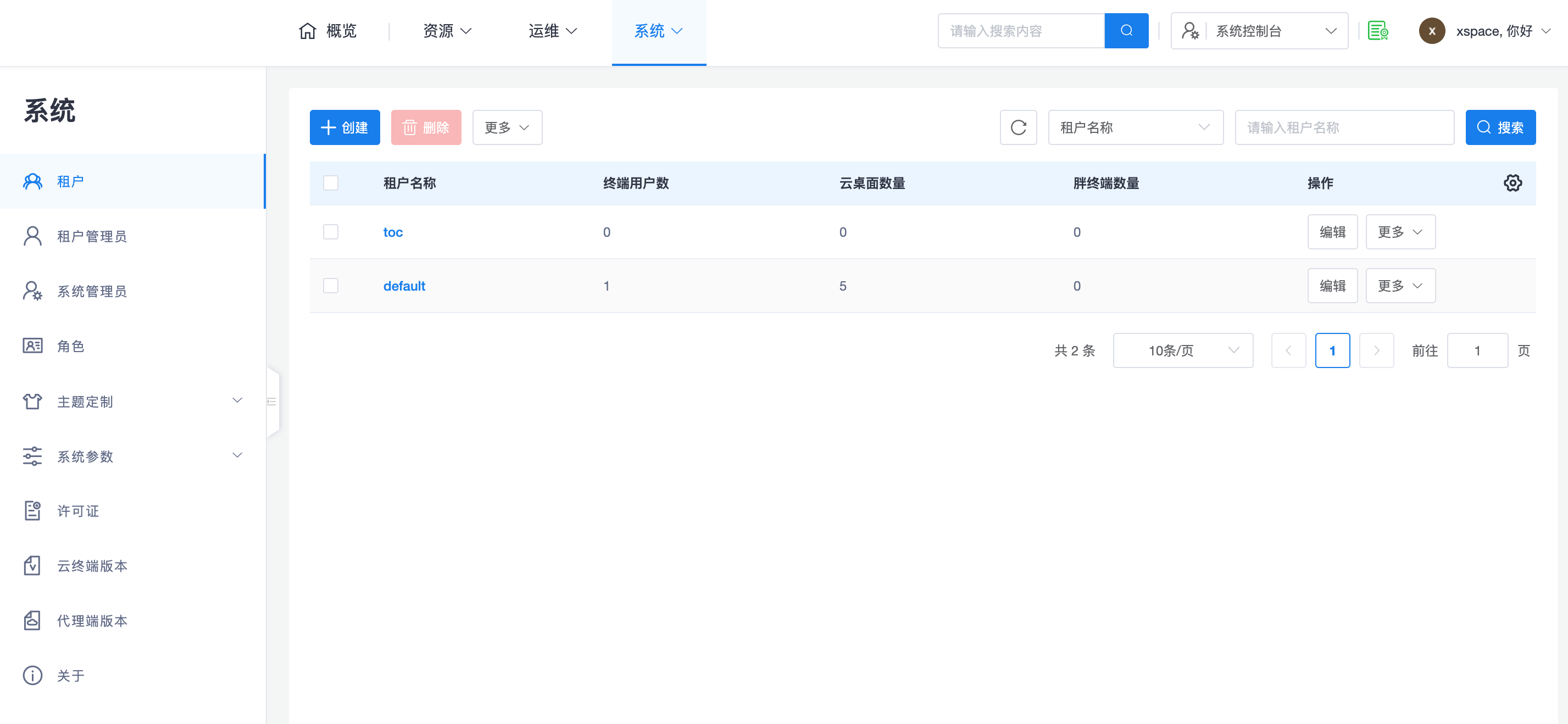
- toc Tenant: Prepared specifically for individual users; typically not relevant for enterprise users.
- default Tenant: The default empty tenant namespace, suitable for non-test, non-demo scenarios.
- Custom Tenants: In formal commercial scenarios, it is recommended to create more tenants based on actual needs such as subsidiaries, departments, regions, or branch offices, to obtain independent user namespaces and management entry points.
1. Tenant Administrators and Delegated O&M
1.1 Dedicated Administrators
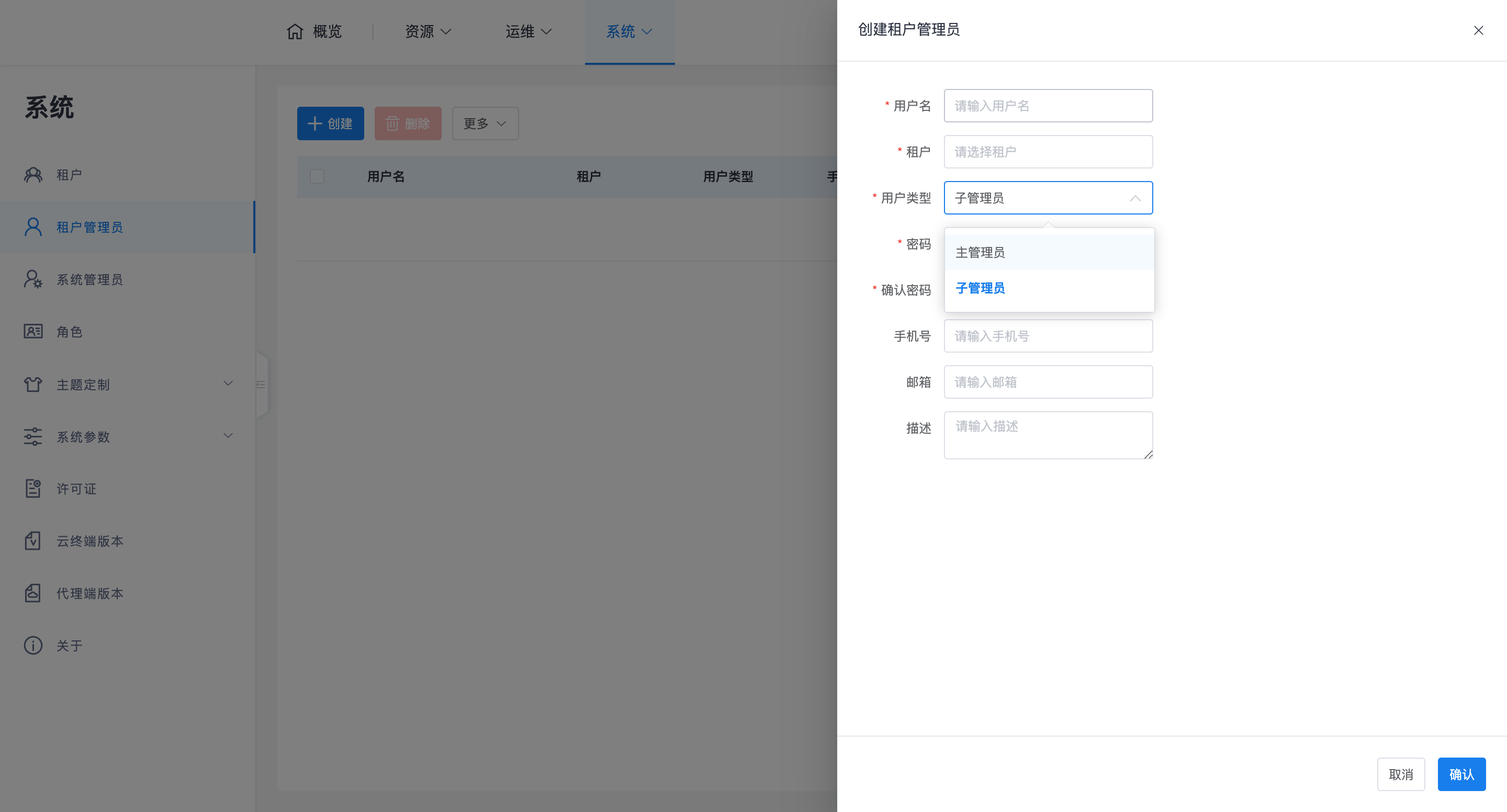
In the "System -> Tenant Administrators" section, dedicated administrator accounts can be created for specific tenants. Each tenant can have 1 master administrator and several sub-administrators. Currently, the management permissions of master and sub-administrators are exactly the same, which leaves design space for more fine-grained permission division in the future.
1.2 System Delegated O&M
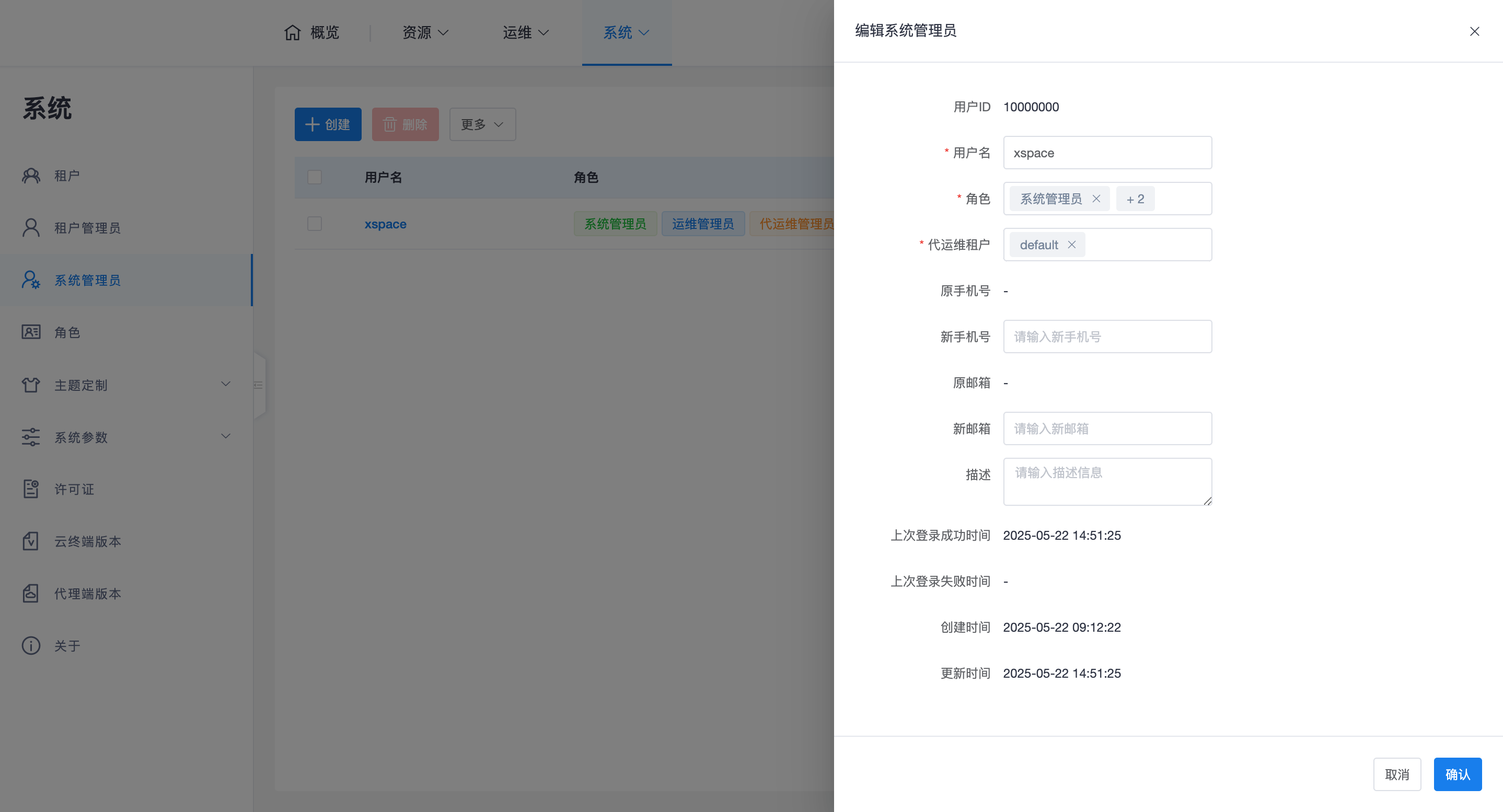
System administrators can also act as delegated O&M administrators for tenants. For example, the default administrator account "xspace" is also the administrator for the "default" tenant. A system administrator with a delegated O&M administrator role can perform delegated O&M management for multiple tenants simultaneously.
1.3 Switching Tenant Context
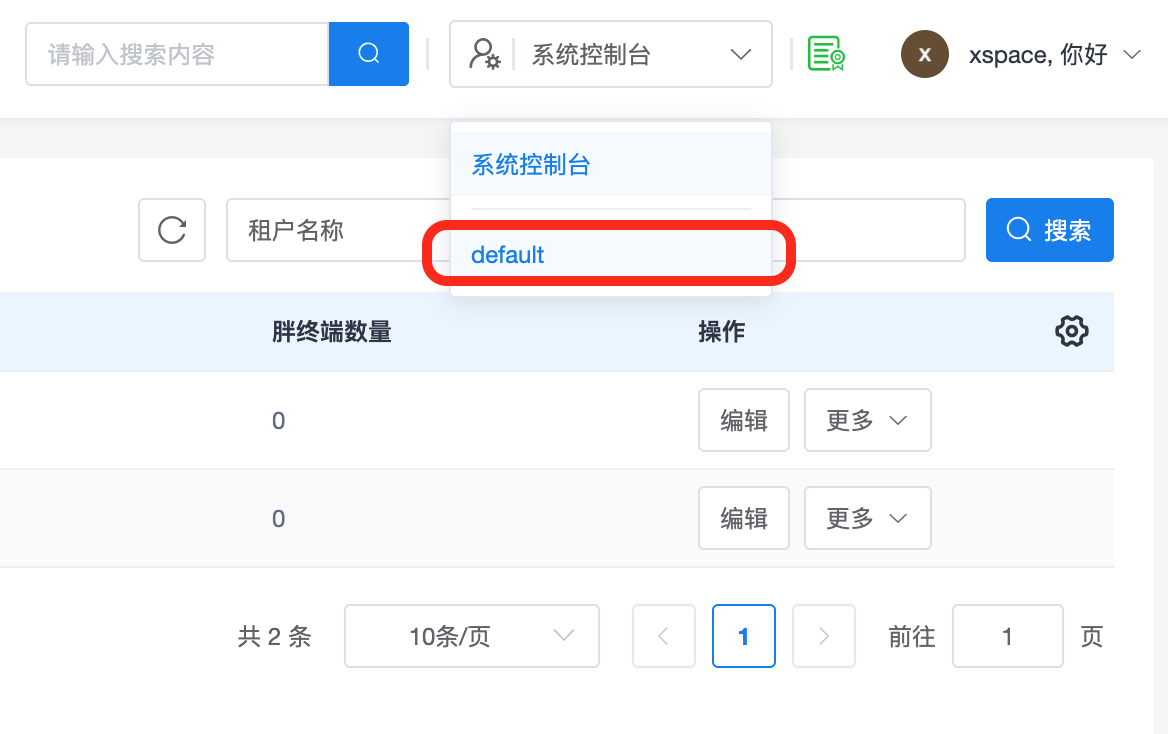
Delegated O&M administrators can view the list of tenants they are managing via a drop-down list in the upper right corner of the management page. Clicking on a specified tenant name will switch to the corresponding tenant context, allowing for tenant-level resource management such as desktops, users, and policies.
2. Core Mechanisms and Quota Management
The system ensures tenant security and stability through multiple mechanisms:
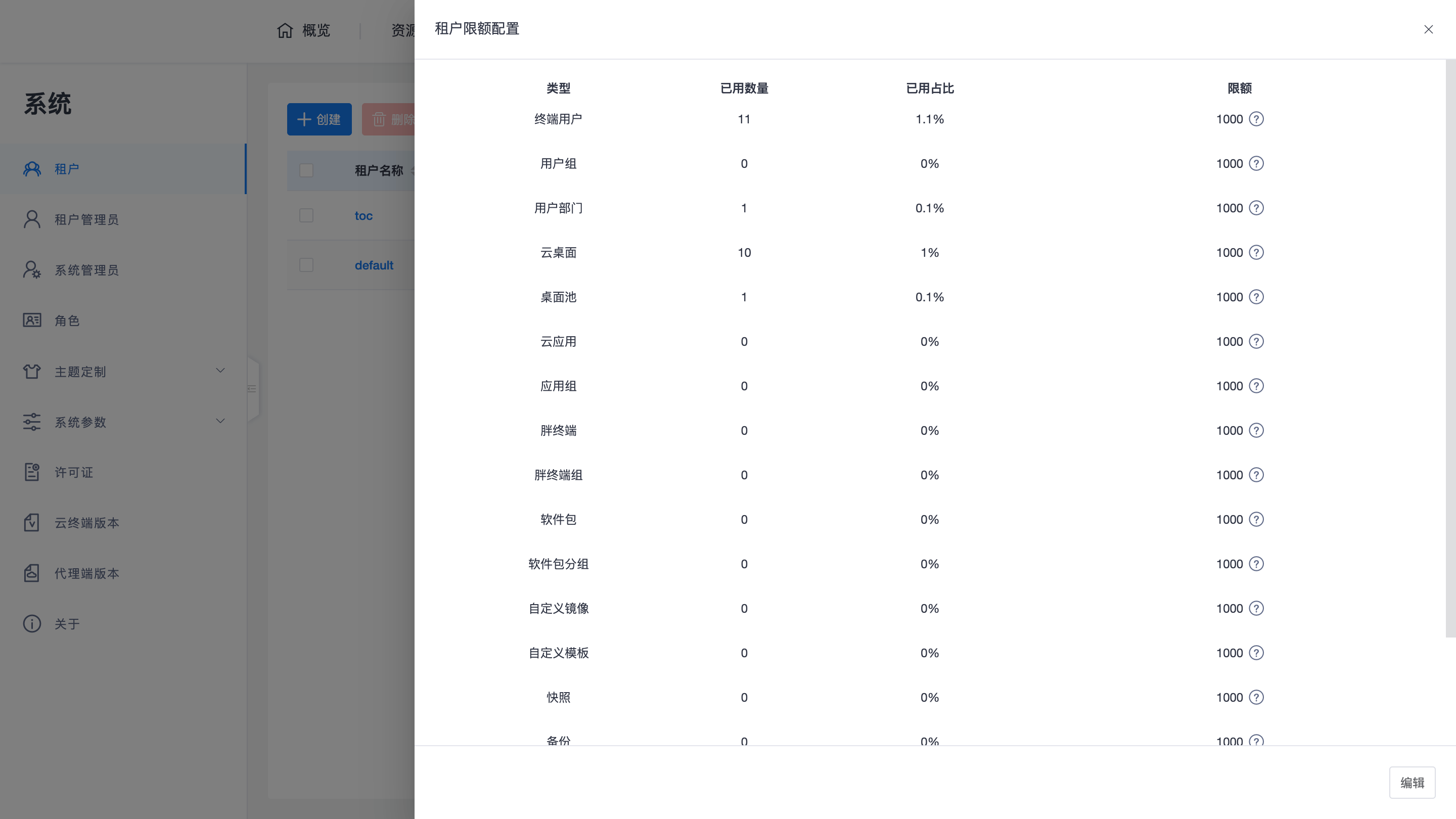
- Quota Management: To prevent system resources from being infinitely occupied due to misoperation or malicious attacks, each tenant's manageable resources (e.g., users, desktops, images, etc.) have certain quotas. System administrators can adjust these quotas as needed through the tenant's "Quota Management" interface (default values meet most normal applications).
- Status Control: For disabled tenants, their tenant administrators will not be able to log in to the console, delegated O&M administrators will not be able to enter that tenant's context, and end-users under that tenant will not be able to log in via the client.
- Account Isolation: Tenant administrators and system administrators are in different account namespaces, thus allowing for duplicate names. When logging in, it is crucial to distinguish whether you are accessing the System Console or the Tenant Console to avoid login failures (e.g., incorrect username or password) due to an incorrect entry point.
3. O&M Key Points Summary
- Management Restrictions: Currently, an ordinary tenant administrator can only manage one tenant and does not support cross-tenant management.
- Role Advantages: System administrators with delegated O&M permissions are the best means to handle large-scale multi-tenant management.
- Independence: Each tenant has an independent user list and supports integration with different AD domains.
Note: For more details on management operations within the tenant context, please refer to the Tenant Console section of this document.