User Configuration
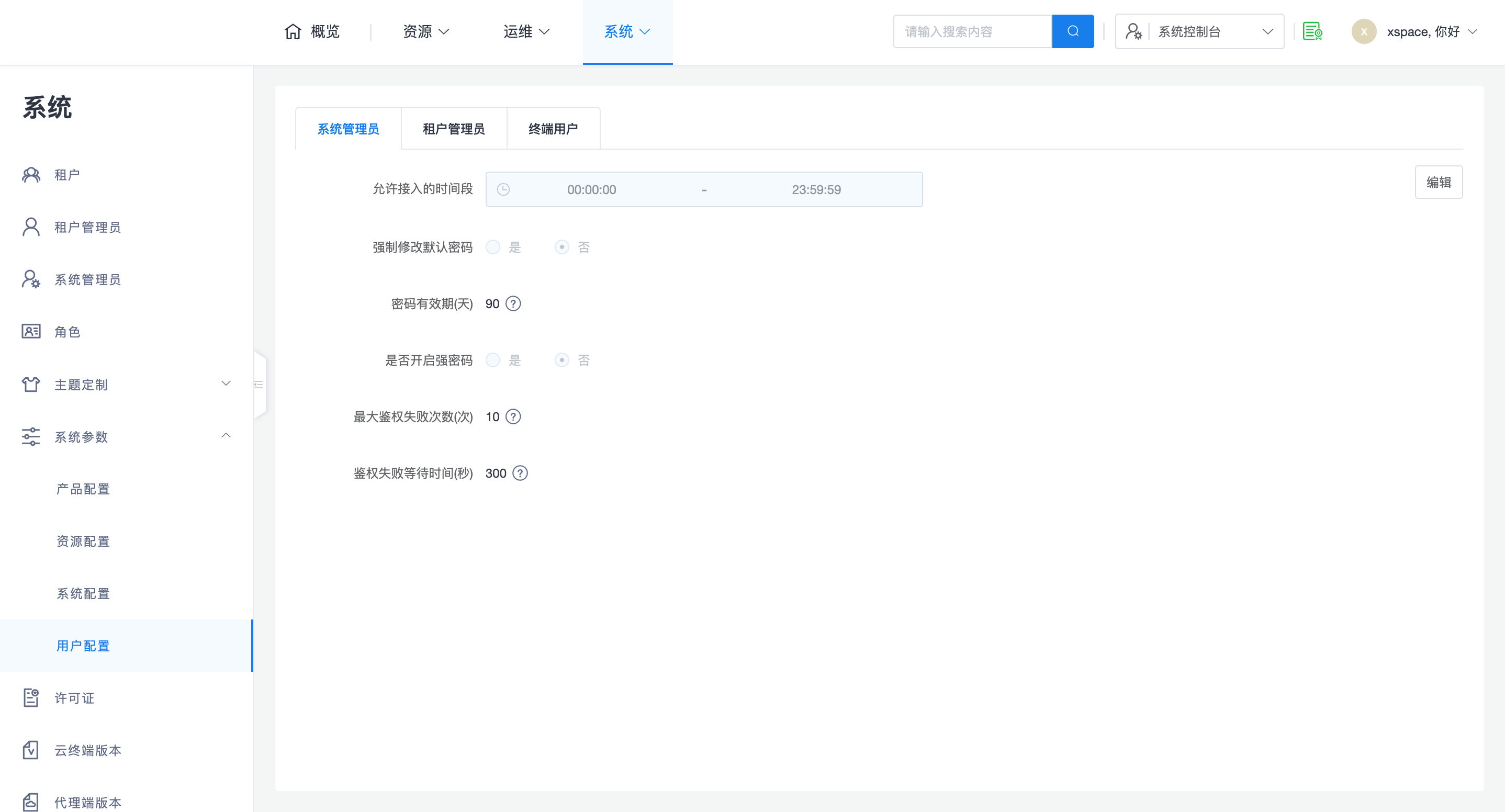
System administrators can access the "System -> System Parameters -> User Configuration" page to customize global policies such as access times, password strength, and authentication security for users in different namespaces (system administrators, tenant administrators, end users).
1. Role Configuration Dimensions
Based on permission levels and application scenarios, the system divides configuration objects into different namespaces and implements differentiated management logic:
- System/Tenant Administrator Configuration
- Control Logic: Only supports unified configuration by the system administrator in the system console; the tenant console does not provide such management entry points.
- Configuration Scope: Covers core security items such as allowed access time, password validity period, strong password switch, and authentication failure protection.
- End User Configuration
- Management Logic: Follows a flexible mechanism of "global presets, tenant optional customization". Tenant administrators can also view and set relevant parameters in the tenant console.
- Effective Priority:
- Tenant Priority: If the tenant administrator has independently configured it in the tenant console, the tenant's settings take precedence.
- Inherit Global: If the tenant has not configured it, the global parameters set by the system administrator are automatically inherited.
2. Core Control Logic
2.1 Configuration Lock Mechanism
System administrators can perform a "lock" operation on configuration items for end users to enforce administrative standardization:
- Unlocked (Default): Tenant administrators have autonomy in configuration and can adjust it according to business needs.
- Locked Status: Once a configuration item is locked by the system administrator, it will become read-only in the tenant console. This operation forces all tenants to adhere to unified global standards, and tenant administrators cannot overstep their authority to modify it.
2.2 Authentication Security Protection
To ensure account security and prevent brute-force attacks, the system provides a fine-grained authentication failure control mechanism:
- Maximum Authentication Failure Attempts: Configuration range is limited to 1 - 30 times.
- Authentication Failure Wait Time: Configuration range is limited to 10 - 3600 seconds.
- Penalty Time and Reset Logic:
- Penalty Mechanism: When a user's continuous login failures reach the configured upper limit, the system triggers a penalty time. The user must wait until the set time ends before attempting to log in again.
- Count Reset: Once the user enters the correct password, or an administrator performs a "reset password" operation in the background, the failure counter is immediately reset to zero.
2.3 Password Security and Lifecycle Management
- Force Change Default Password: This item is enabled by default. After a user is created, the system will force a dialog box to pop up requiring them to change their initial password upon first login, ensuring account access security.
- Password Expiration Period: Configuration range is limited to 0 - 180 days. Regular password changes ensure long-term account security, where 0 means the password never expires.
- Password Hashing Algorithm: Defaults to
bcrypt10algorithm for high-strength encrypted storage.- Security Trade-offs: Choosing a stronger algorithm (e.g.,
bcrypt14) can significantly improve resistance to brute-force attacks. - Performance Impact: Note that increasing algorithm strength will increase the server's CPU computation overhead. Choosing excessively high strength (e.g.,
bcrypt14) may slow down the response time for authentication operations like user login. It is recommended to configure it by balancing hardware performance and security level.
- Security Trade-offs: Choosing a stronger algorithm (e.g.,
Note: For high-privilege roles such as system administrators and tenant administrators, it is recommended to strictly enable "strong password" and "periodic forced password change" options to comply with enterprise-level information security audit requirements.