Resource Configuration
System administrators can access the "System -> System Parameters -> Resource Configuration" page in the system console to configure resource-related parameters. This mainly includes recycle bin retention duration, multi-site region hierarchy, and global definition of SDWAN access gateways.
1. Recycle Bin Configuration
Used to set the retention period for cloud desktops in the recycle bin after they are deleted. The system automatically cleans up expired resources based on this configuration.
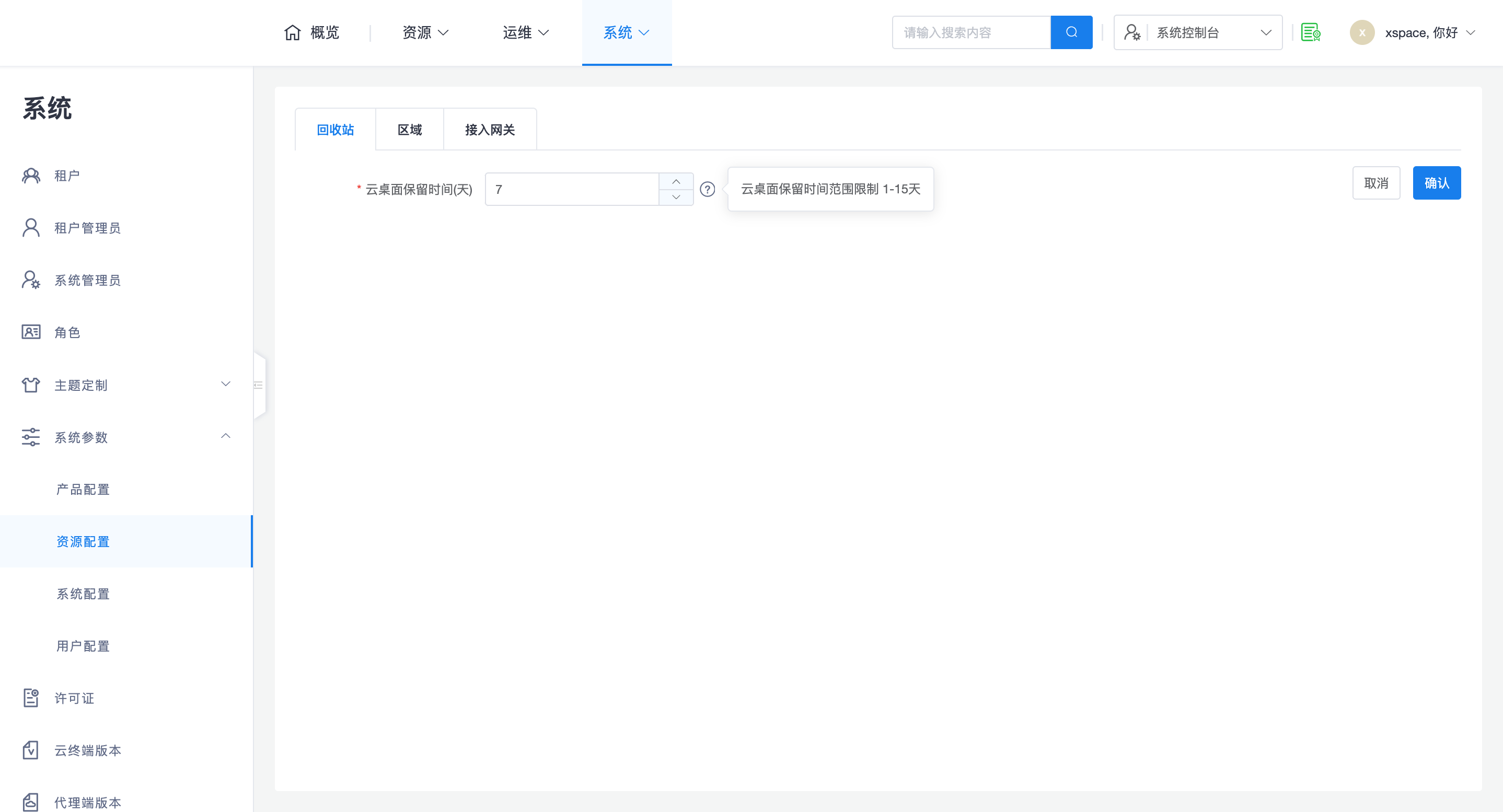
- Configuration Range: Supports setting a retention period of 1-15 days.
- Effective Logic:
- System Default Value: The value configured by the system administrator is the default for all tenants.
- Tenant Inheritance and Conflict Resolution: If a tenant administrator has never manually modified this setting, it will be automatically updated after the system administrator modifies it; if a tenant administrator has already modified it in the tenant console, the tenant's setting will take precedence and will no longer be affected by the global configuration.
2. Region Configuration
Regions are mainly used for unified management of multi-sites across multiple geographical areas. After enabling the region function, the operation logic of the management component will change.
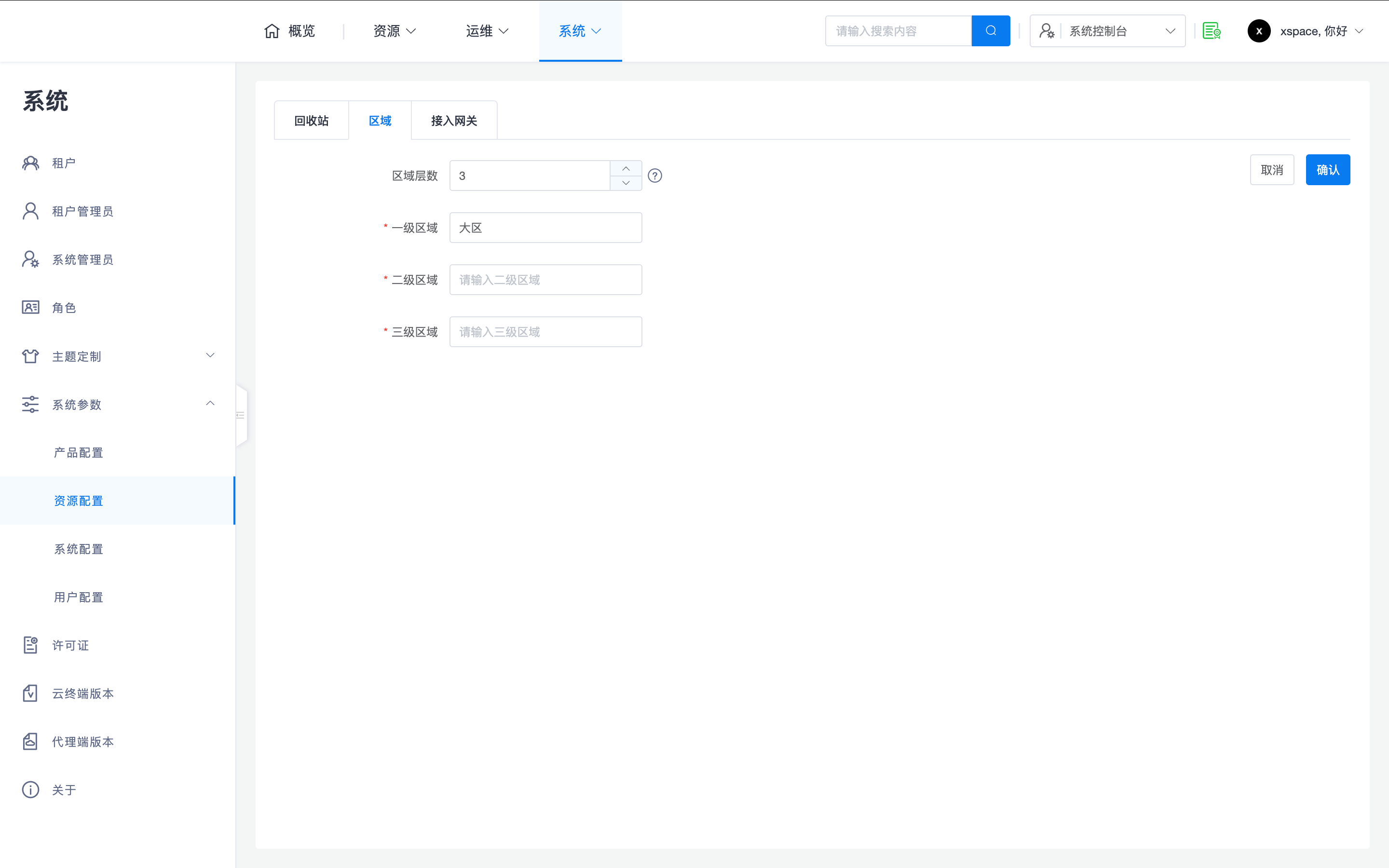
- Hierarchical Structure: Supports configuring 0-3 layers of regions, and customizes the name of each layer.
-
Management Logic:
- Global Definition: Region configuration is a global system attribute and cannot be defined within tenants.
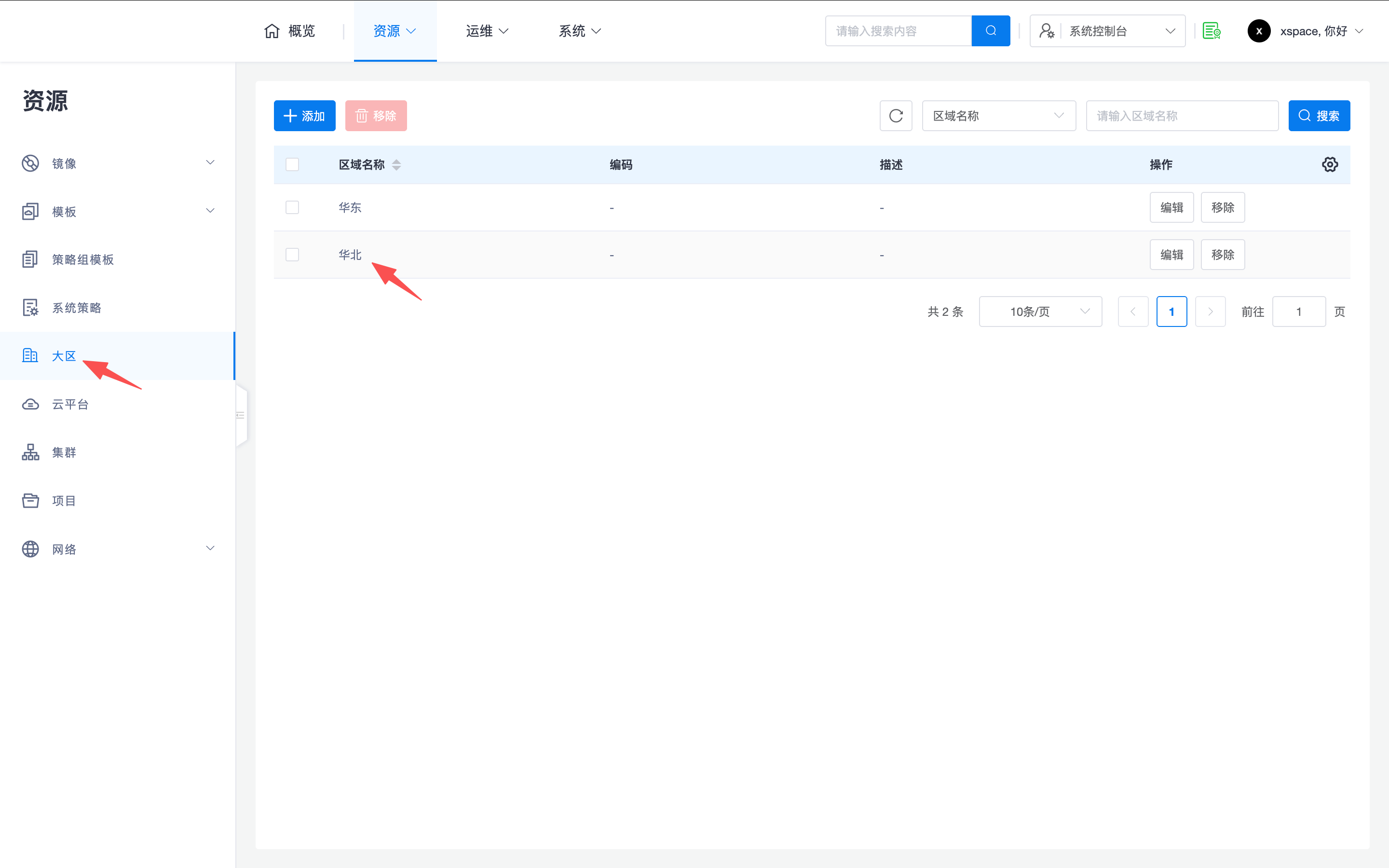
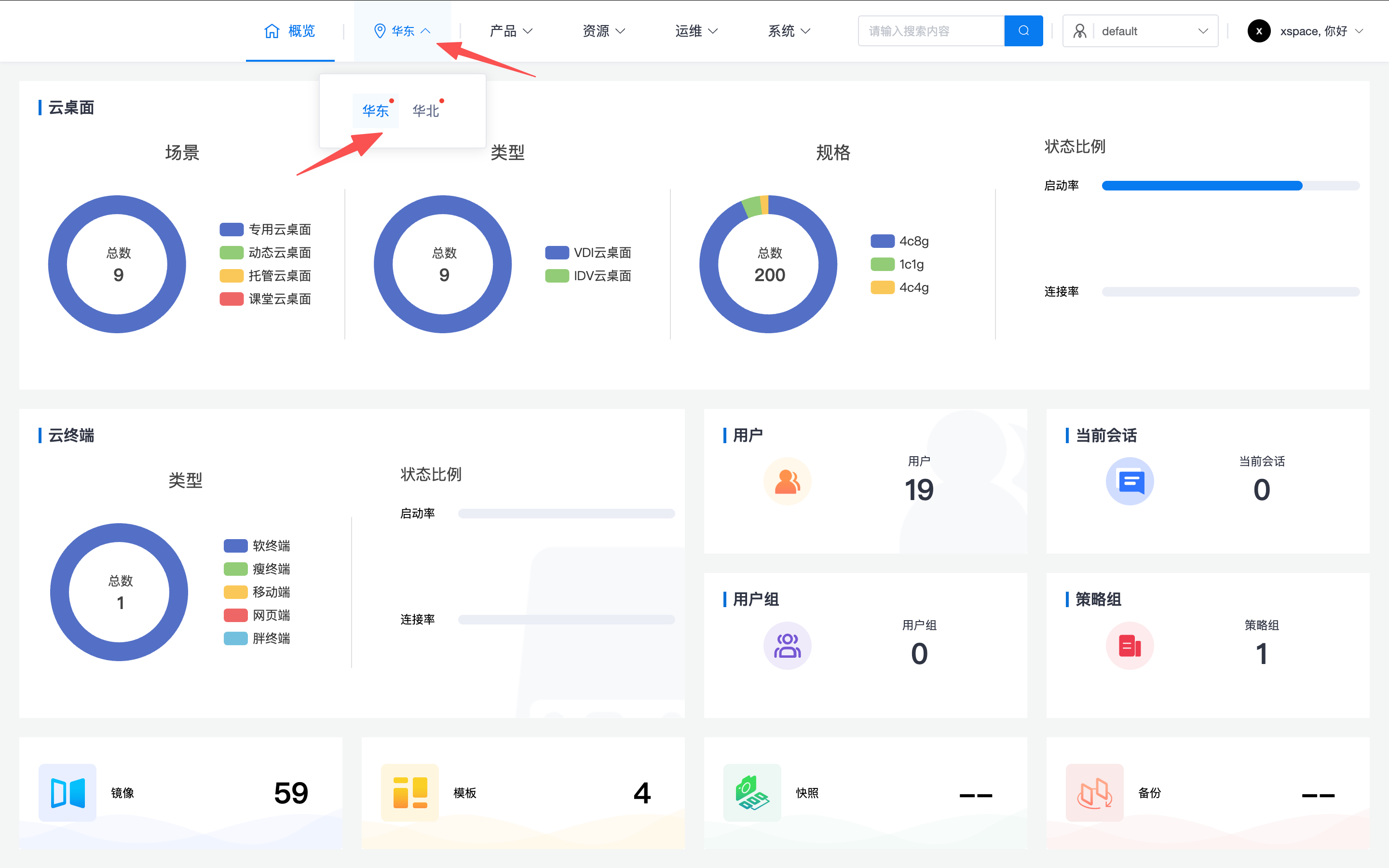
- Resource Partitioning: After configuring 1-3 layers of regions, corresponding cascading menu items will appear in the "Resources -> Regions" menu of the system console. Administrators need to add specific region definitions here and assign cloud platforms to corresponding regions.
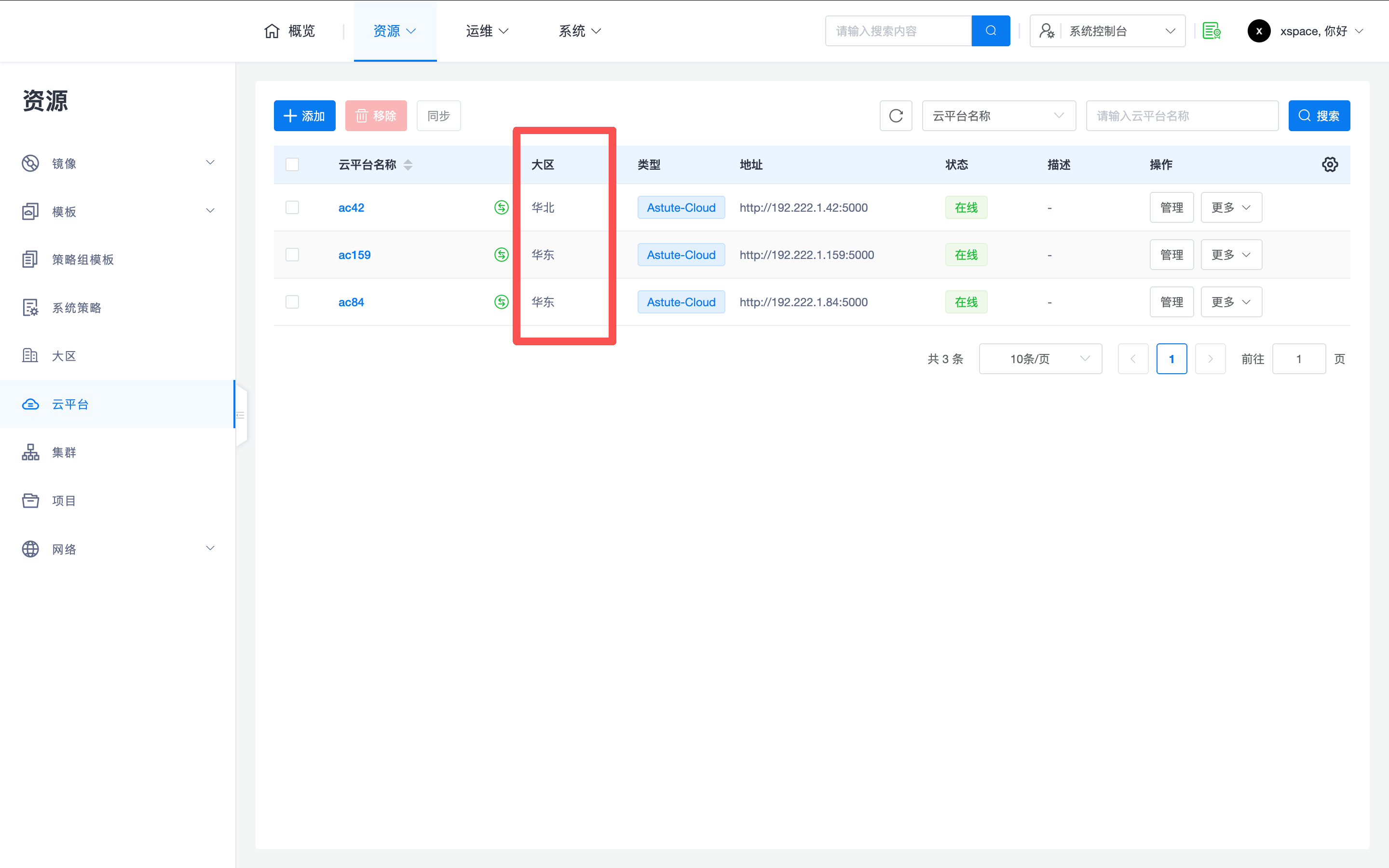
- Tenant Console Management Logic: After enabling the region function, tenant administrators, when managing desktop resources, need to first switch to the corresponding region in the interface before operating on resources within that region.
- Resource Distribution Reminder: Region names with a red dot icon indicate that the current tenant has deployed cloud desktops in that region, facilitating quick localization.
-
O&M Red Line:
- Careful Configuration: Region configuration is a core system planning. Once an xSpace system is configured (after changing the hierarchy from 0 to non-0), no further adjustments will be allowed. Please configure carefully according to the actual system plan.
3. Access Gateway (SDWAN) Configuration
For desktop access in cross-region or specific network environments, administrators need to configure SDWAN access gateway parameters.
- Control Logic: The SDWAN gateway is a global system attribute and does not support custom definition within tenants.
- Operation Guide: For detailed parameter definitions and integration processes for the SDWAN gateway, please refer to the Installation Deployment -> Deploy SDWAN Gateway -> Management Component Configuration -> 2.1 Global Parameter Configuration section.
Note: Region and access gateway configurations directly affect the underlying resource topology and data flow. It is crucial to complete planning during the initial system deployment.