Product Configuration
System administrators can access the "System -> System Parameters -> Product Configuration" page in the system console to configure global product-related parameters. The most typical configuration item is the "Cloud Terminal Advanced Settings Password".
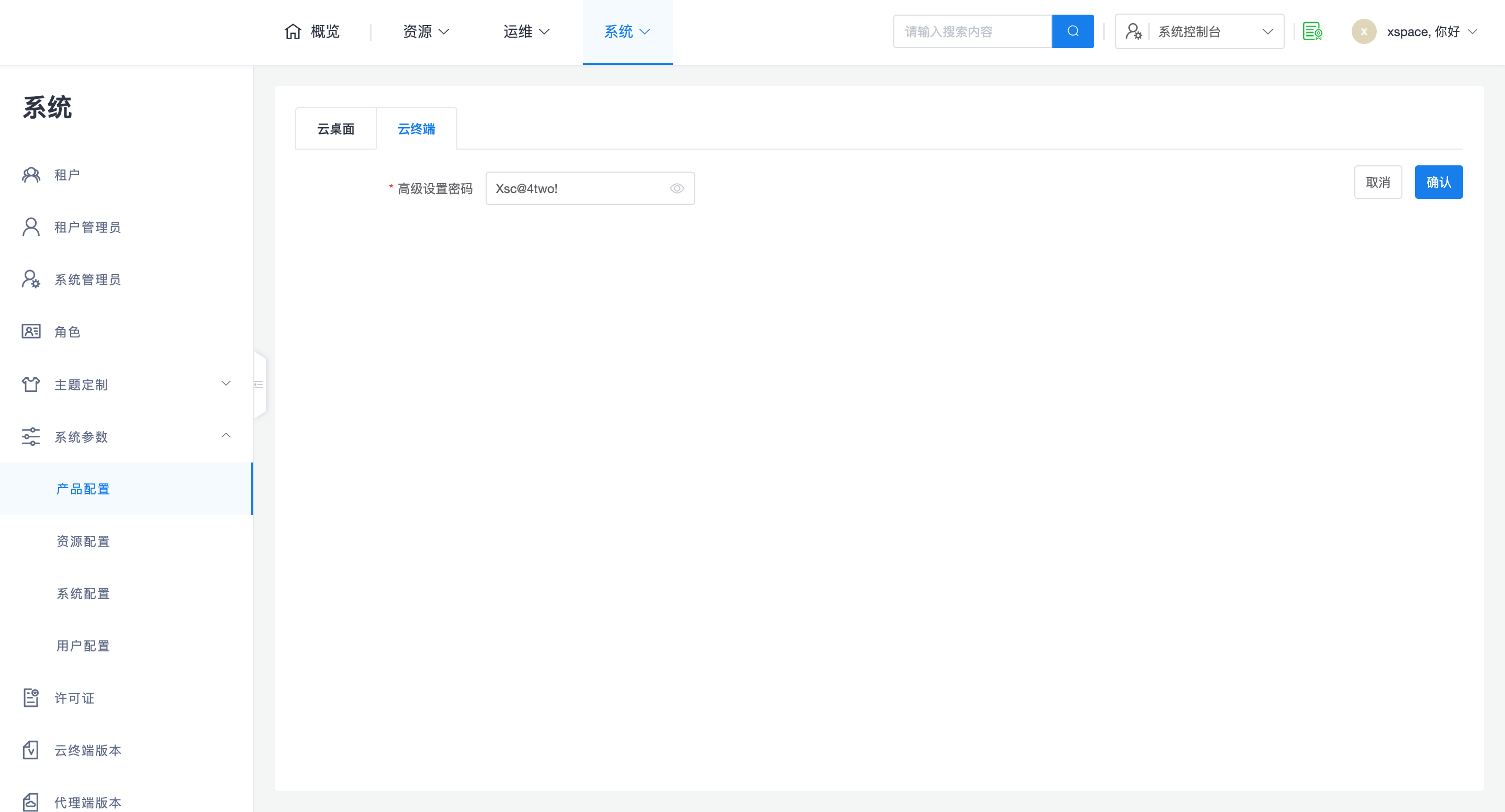
1. Cloud Terminal Advanced Settings Password
This password is primarily used for secure access and debugging control on the terminal side. Specific application scenarios are as follows:
-
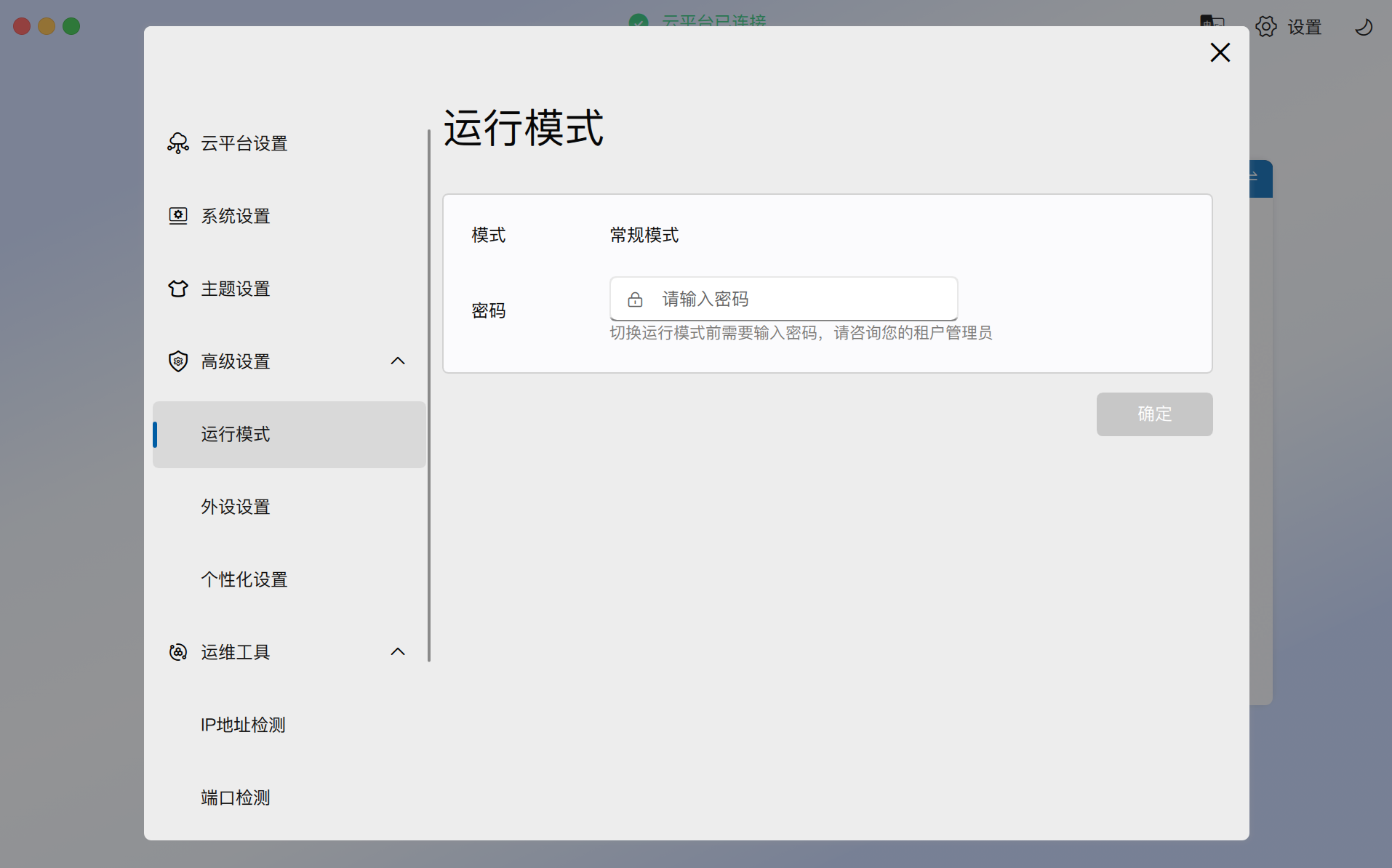
Running Mode Switching: When needing to modify the running mode on a thin client, this password must be entered for verification. Cloud terminals offer two running modes:
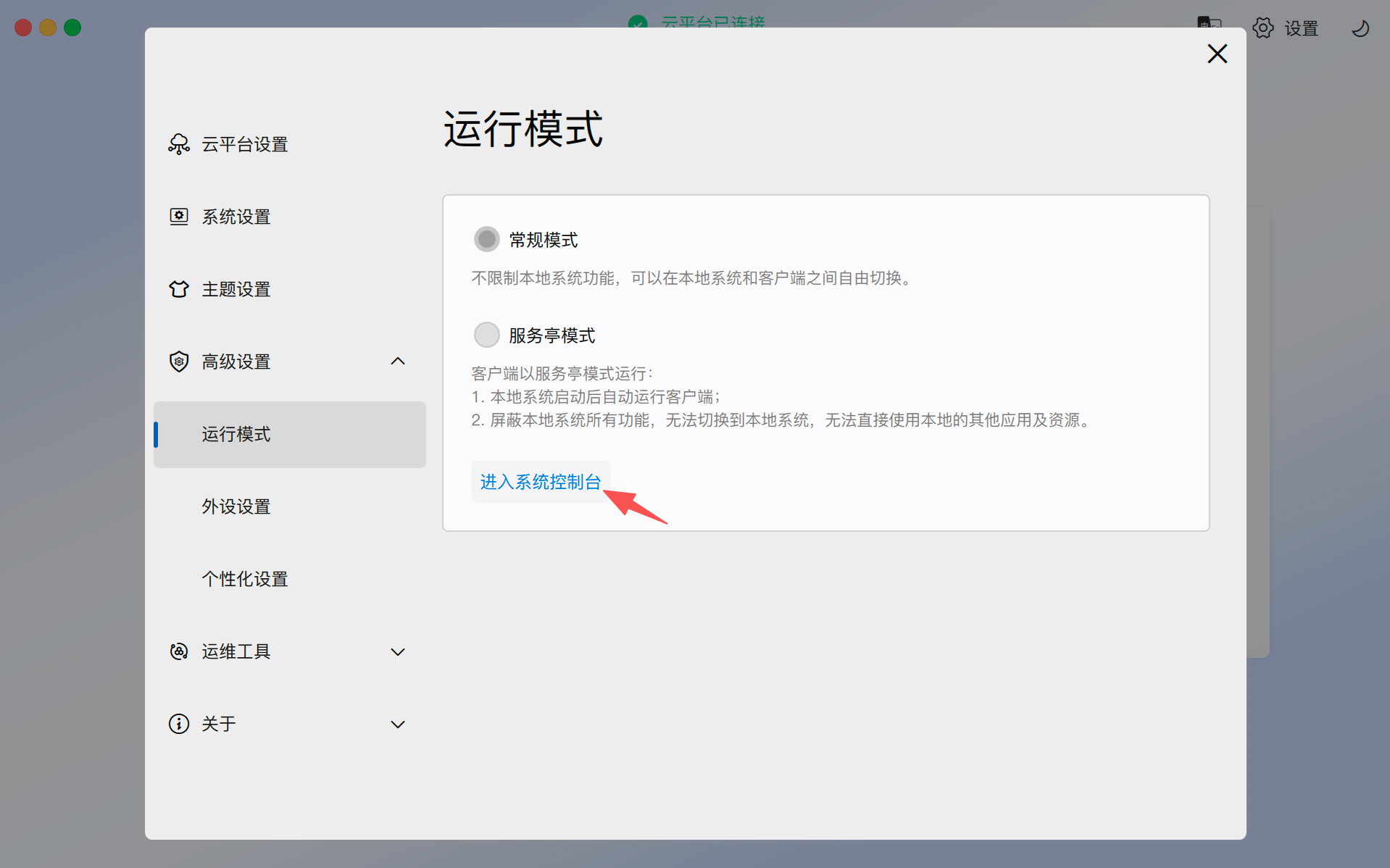
- Normal Mode: Does not restrict local system functions, allowing free switching between the local system and the client.
- Kiosk Mode: The client runs in full-screen mode, automatically starting the client after the local system boots and blocking all local system functions.
-
Enter System Console: After successful password verification, in addition to switching running modes, the client's local console can also be opened. This function is very useful for on-site debugging of thin client systems in "Kiosk Mode".
2. Core Effective Logic
This configuration follows the following logic between system administrators and tenant administrators:
- System Default Value: The configuration set by the system administrator in the system console is the default value for all tenants.
- Tenant Inheritance and Conflict Resolution:
- Automatic Synchronization: If a tenant administrator has never manually modified this setting, then after the system administrator modifies it, the tenant's password will be automatically updated accordingly.
- Tenant Priority: Once a tenant administrator modifies this password in the tenant console, the setting within that tenant will always take precedence, and the global settings of the system administrator will no longer affect that tenant.
- Client Activation Mechanism: On the client, when a tenant's end-user (or a personal edition tenant administrator) logs in, this password will automatically take effect according to the password set for that tenant in the corresponding management system.