Template Management
A cloud desktop template is composed of an image, combined with necessary attribute elements such as virtual machine specifications, network, and disk. When creating cloud desktops, templates can be used to quickly determine the various attribute configurations of the cloud desktops, allowing for fast and convenient batch creation of cloud desktops.
Cloud desktop templates are also used for dynamic desktop pools. With specific dynamic cloud desktop resource creation rules, the system can automatically create cloud desktops based on preset base templates.
1. Template Classification and Source
Based on the differences in underlying cloud platform capabilities, template generation logic falls into the following two categories:
1.1 Platform Native Template Mode
For cloud platforms like SmartX and WxStack, their underlying only has the concept of "templates" and no "images".
- Automatic Synchronization: When synchronizing templates with these cloud platforms, the system automatically creates corresponding template records at the business layer.
- Core Attribute Considerations: Consistent with image management, when creating or maintaining templates for this type of platform, strict attention must be paid to whether the Boot Mode is BIOS or UEFI, and whether the Virtual Graphics Card attribute is set to virtio.
- Login Credential Priority (for this type of platform only):
Administrators can set the OS username and password on the template editing page of the system/tenant console.
- Effective Logic: When cloud desktops are created based on this type of template, the credentials set in the template will be assigned as default values to the created desktop objects.
- Priority: If credentials are updated separately on the desktop object, the updated ones will take precedence.
- Secondary Processing and Creation of Templates:
If customization of existing templates is required (e.g., installing software, optimizing the environment, upgrading agent components), the recommended process is as follows:
- Create Dedicated Desktop: Create a dedicated desktop in xSpace based on this base template.
- Desktop Customization and Upgrade: Enter the desktop to perform system optimization. For agent component upgrades, please refer to Image Creation -> 3. Update xSpace Agent Components.
- Extract New Template:
- Method A: In the xSpace tenant console, perform the desktop's "Create Template" operation to generate a custom template for that tenant.
- Method B: Save it as a new template based on this virtual machine in the underlying cloud platform, and then import it as a system template by "Synchronize Template" in the xSpace system console.
- GPU Attribute Management: Administrators can directly edit templates in the cloud platform management interface to add or modify GPU resource information.
- Maintenance Status Control: Administrators can perform "Maintenance" operations on templates in the cloud platform's template list.
1.2 xSpace Defined Template Mode
For cloud platforms like OpenStack and ZStack that have an independent image concept.
- Logical Object: This type of template does not have a corresponding physical object in the underlying cloud platform; it is a logical definition at the xSpace layer.
- Definition Elements: Composed by system administrators or tenant administrators in xSpace based on attributes suchs as flavors, images, networks, and storage policies.
- Usage Scenarios: This type of xSpace-defined template (including "system templates" and "custom templates") can be used to create dedicated desktops or dynamic desktops.
2. Template Operation Management
By clicking "Resources -> Templates -> VDI Templates" in the system console or tenant console, you can view and manage cloud desktop templates.
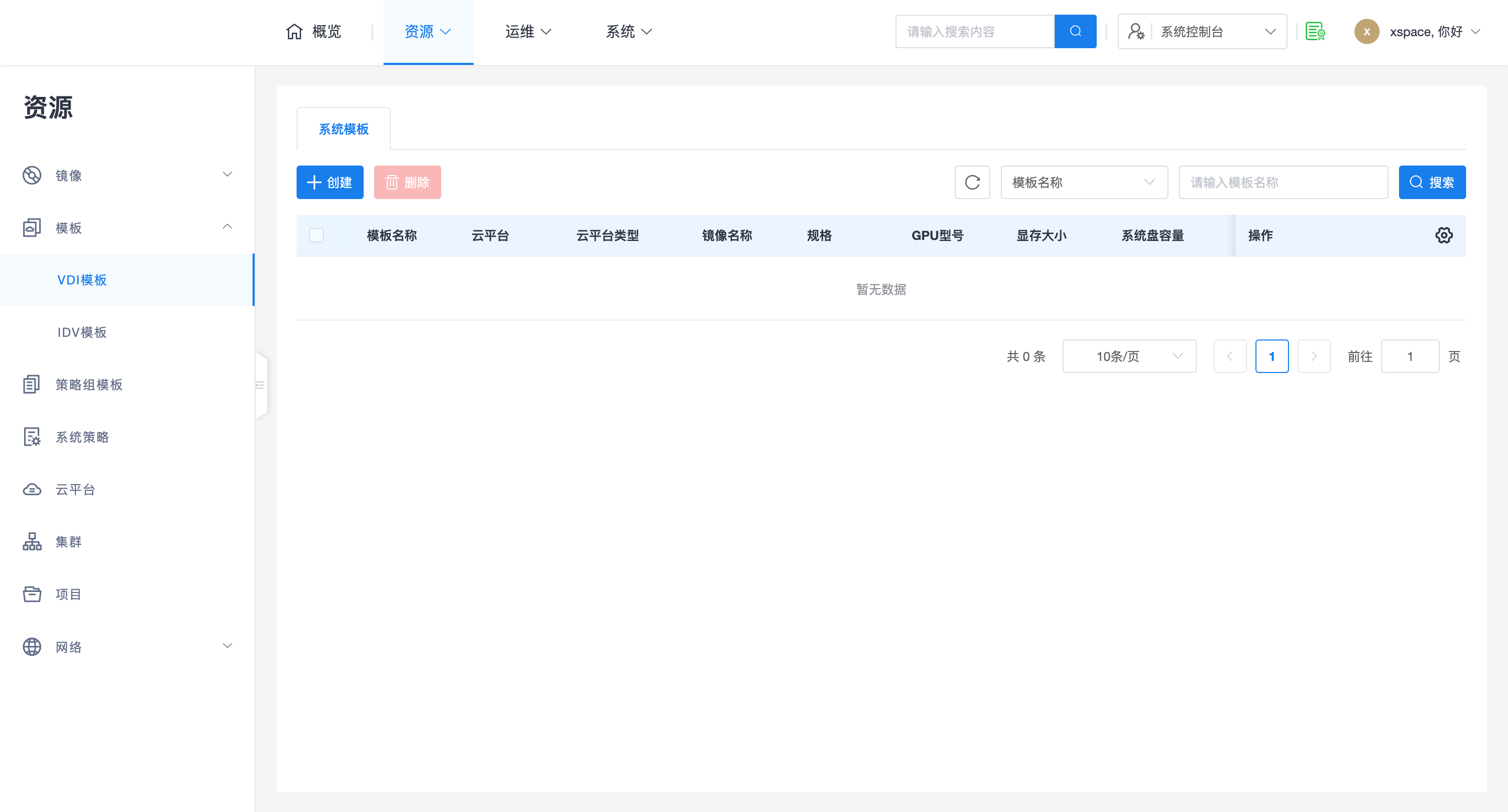
2.1 Core O&M Logic
-
Cross-Tenant Sharing:
- System Templates: Created by system administrators, visible to all tenants, usually serving as a standardized base.
- Custom Templates: Defined by specific tenant administrators, only visible within that tenant.
-
Maintenance Mechanism Differences:
- Native Template Mode: Supports direct "Maintenance" operations in the cloud platform resource list.
- Defined Template Mode: The availability of the template is controlled by business layer logic and does not involve switching the maintenance status of underlying resources.
Note: For SmartX and WxStack platforms, if the underlying template is deleted, the corresponding template in xSpace will be marked as "Lost". In this case, you need to check the status of the underlying resources, and if confirmed useless, manually remove it.