Add OpenStack Cloud Platform
The xSpace management component integrates with OpenStack's API interfaces to take over and schedule underlying computing resources.
1. Operation Process
-
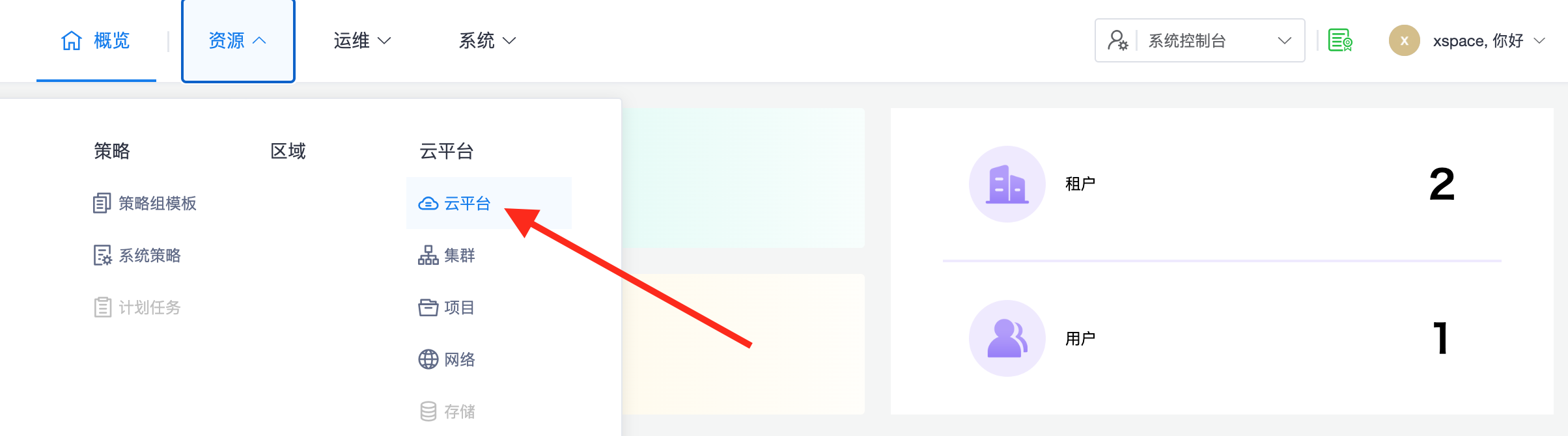
Access Interface: Log in to the system console and access "Resources -> Cloud Platforms" from the left-side menu bar.
-
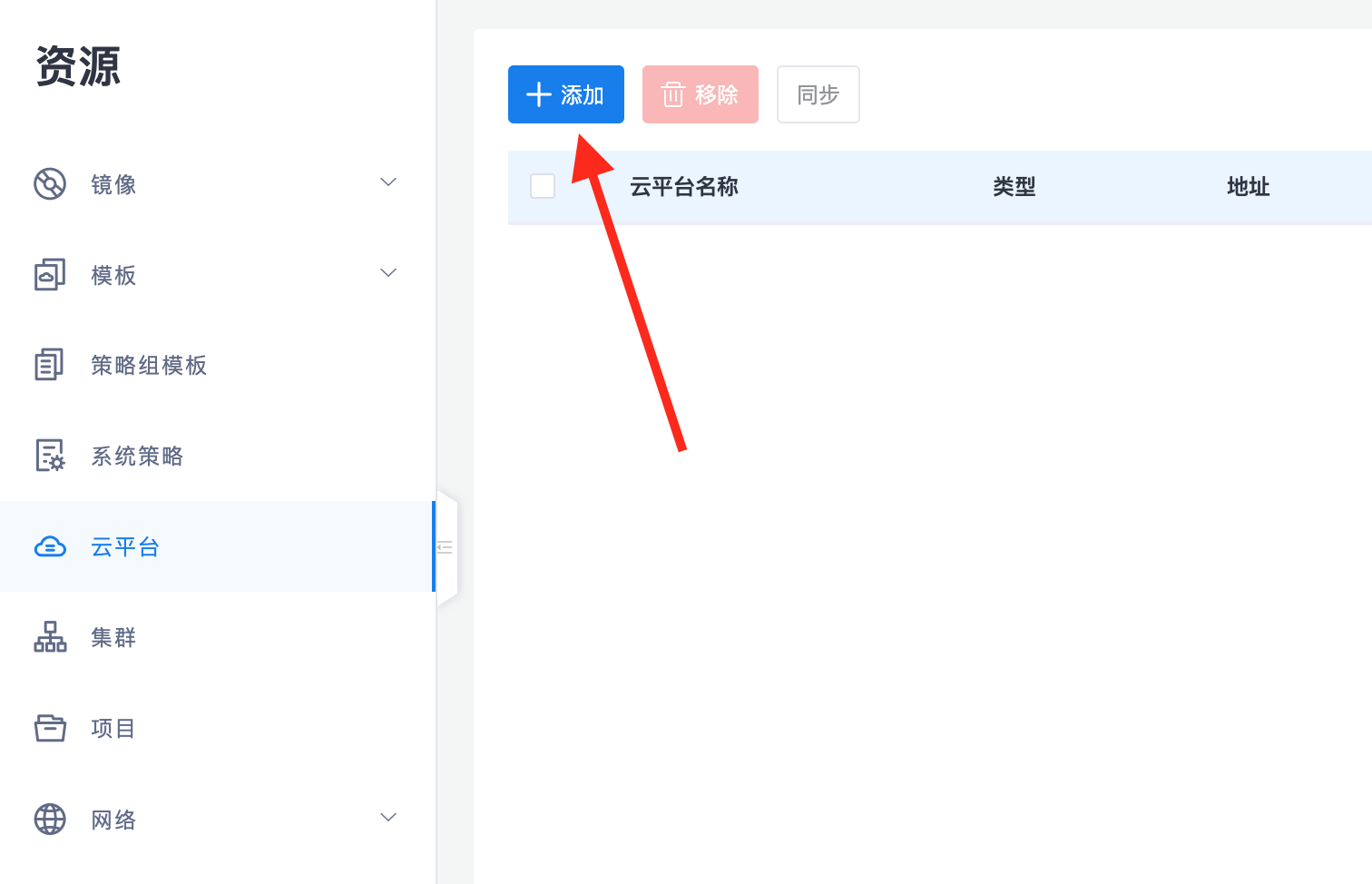
Initiate Addition: Click the "Add" button in the upper left corner of the page.
-
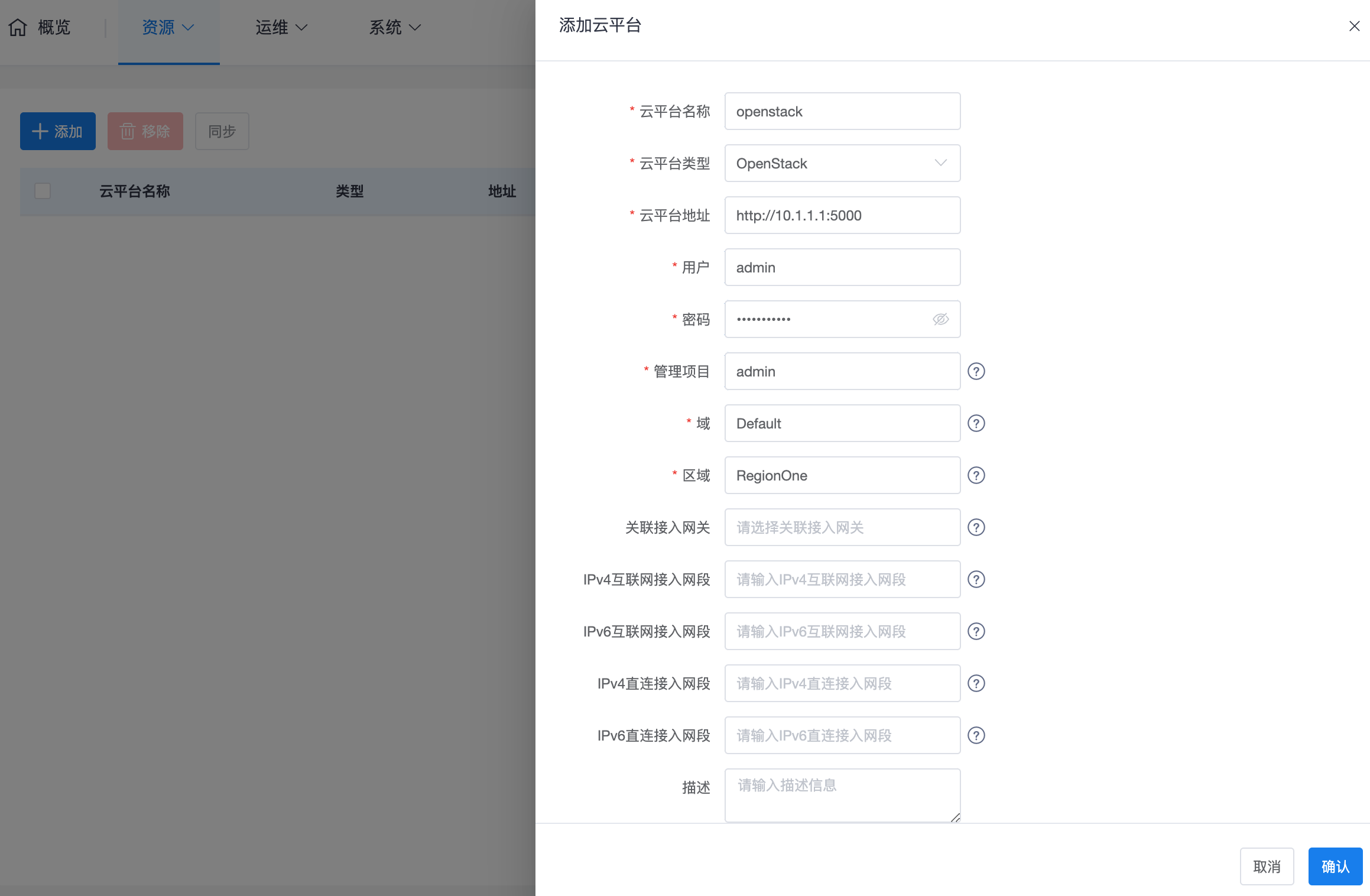
Configure Attributes: In the editing interface, select the cloud platform type as OpenStack. After entering the information according to the parameter details below, click "OK".
2. Parameter Details and Resource Mapping
2.1 Key Access Parameters
- Cloud Platform Address: The entry address of OpenStack's authentication service (Keystone). This is usually the Public Endpoint of the identity service for the keystone component, with a default port typically being 5000.
- Username/Password: A user account with system administrator privileges must be provided. Accounts with only ordinary project member privileges cannot complete global resource synchronization.
- Management Project: Refers to the OpenStack management project name (default is usually admin). This project will be automatically filtered by the system during synchronization and will not appear in the xSpace project list.
- Domain / Region: Usually kept as default (e.g., Default / RegionOne). If the underlying is a multi-Region deployment, each Region needs to be managed separately as multiple independent cloud platforms in xSpace.
2.2 Core Model Mapping
When planning resources, please understand the following logical correspondences:
- Cluster ↔ Availability Zone (AZ): The "Cluster" displayed in the xSpace management component corresponds to the AZ (Availability Zone) concept in OpenStack. The system will automatically identify and map these physical resource boundaries after synchronization.
Note: For automatic synchronization mechanisms, progress monitoring, and troubleshooting after adding a cloud platform, please refer to the Cloud Platform Overview -> 3. Resource Synchronization and Management Mechanism section.